безплатна доставка
на поръчки над 100 EUR
02 4372440
Cart Cart

ZyXEL NAS542

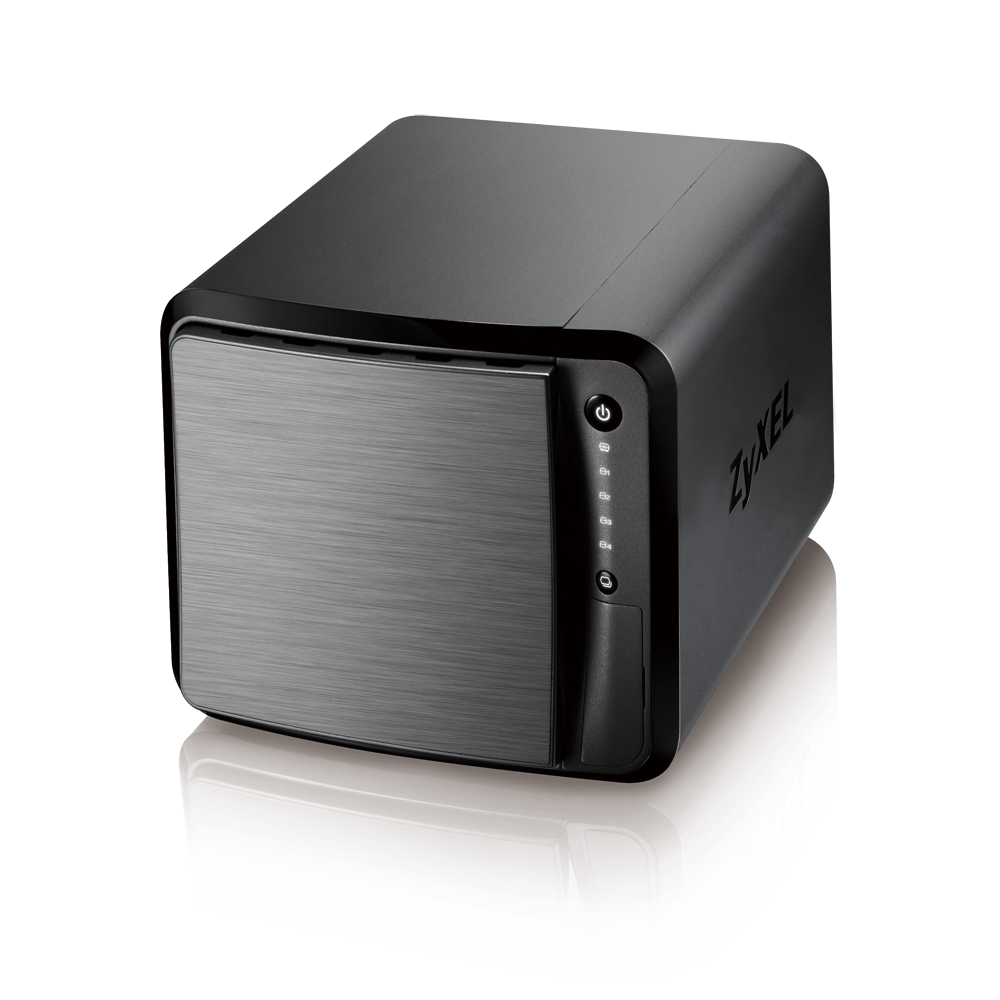
Мрежов сторидж ZyXEL NAS542, за 4 диска, до 24TB, 1.2GHz, 1GB, Гигабит, USB3.0

Арт. номер: ZYXEL-NAS-542
Изчерпан

Запитване за ZyXEL NAS542

безплатна доставка
на поръчки над 100 EUR
Технически характеристики
Гаранция 24 месеца
Брой дискове 4 бр.
Максимален капацитет (общо) до 64 TB
Интерфейс SATA II
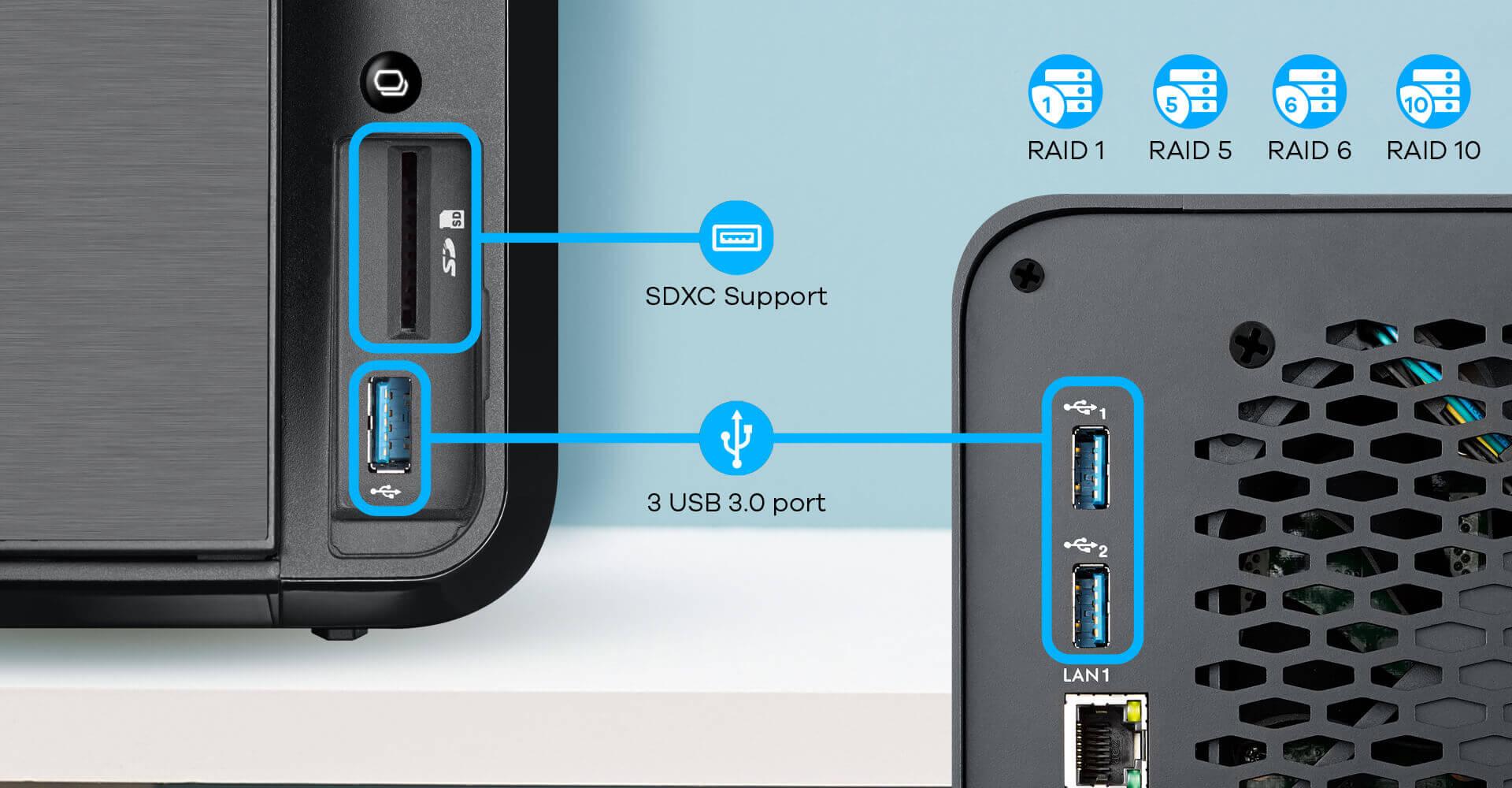
Екстри 2x 1GbE LAN, SD Card Reader, 3x USB 3.0


Your Choice for Reliable and Secure Personal Cloud Storage

Easy to setup, maintain and organize


We make professionals work together efficiently

Work anywhere as long as you have NAS542


Secured files with reliability.

Set your folder permissions and specify access for multiple users, ensuring that you and your team are the ones collaborating the files you want. Features RAID capability, get reliable data sharing even if a single hard drive fails, so that you can keep on working!



Be efficient with your work.

Enable remote access, so you can edit your photos, videos, and documents where ever you go in this world. Built-in SD card reader, conveniently allows you to copy your multimedia files from the SD card to the network storage.



Tuned for maximum performance.

Directly edit your photos and video files on the network storage device. Powered with high end specifications, our network storage device deliver fast read and write speed as if you’re working directly from your computer system.
 

Stay mobile with your work and share it among your clients.

Zyxel incorporates advanced P2P technologies to enable you to quickly browse your work files from your network storage device where ever you are.



Flexibility to get your devices connected together.

Whether you choose to utilize SAMBA or WebDAV to share your files, the Zyxel network storage device provides to flexibility for you to choose on how you connect with all your colleagues.



Deliver your finished artworks with its link aggregation for the faster data transfer speed.

Get your digital media online up to 30% faster than traditional single gigabit Ethernet connection, by utilizing the network storage’s dual Ethernet ports.


Multiple Options to Secure Data from Failure

Protect your personal data with RAID 1, 5, 6 or 10. With RAID support, the Zyxel NAS542 can protect your personal data from hard disk failures. In case any one of the disks failed, you can still access your data safely and restore the normal RAID protection with the failed disk replaced. Built-in SD/XC card reader, conveniently allows you to copy your camera files from the SD Card to the NAS542. One-touch copy/sync button for external USB capable devices backup. The USB 3.0 ports provide a fast interface for external storage with data transfer rates of up to 4.8 Gbps to make backup tasks a snap.


Get up and running quick with our easy-to-use interface

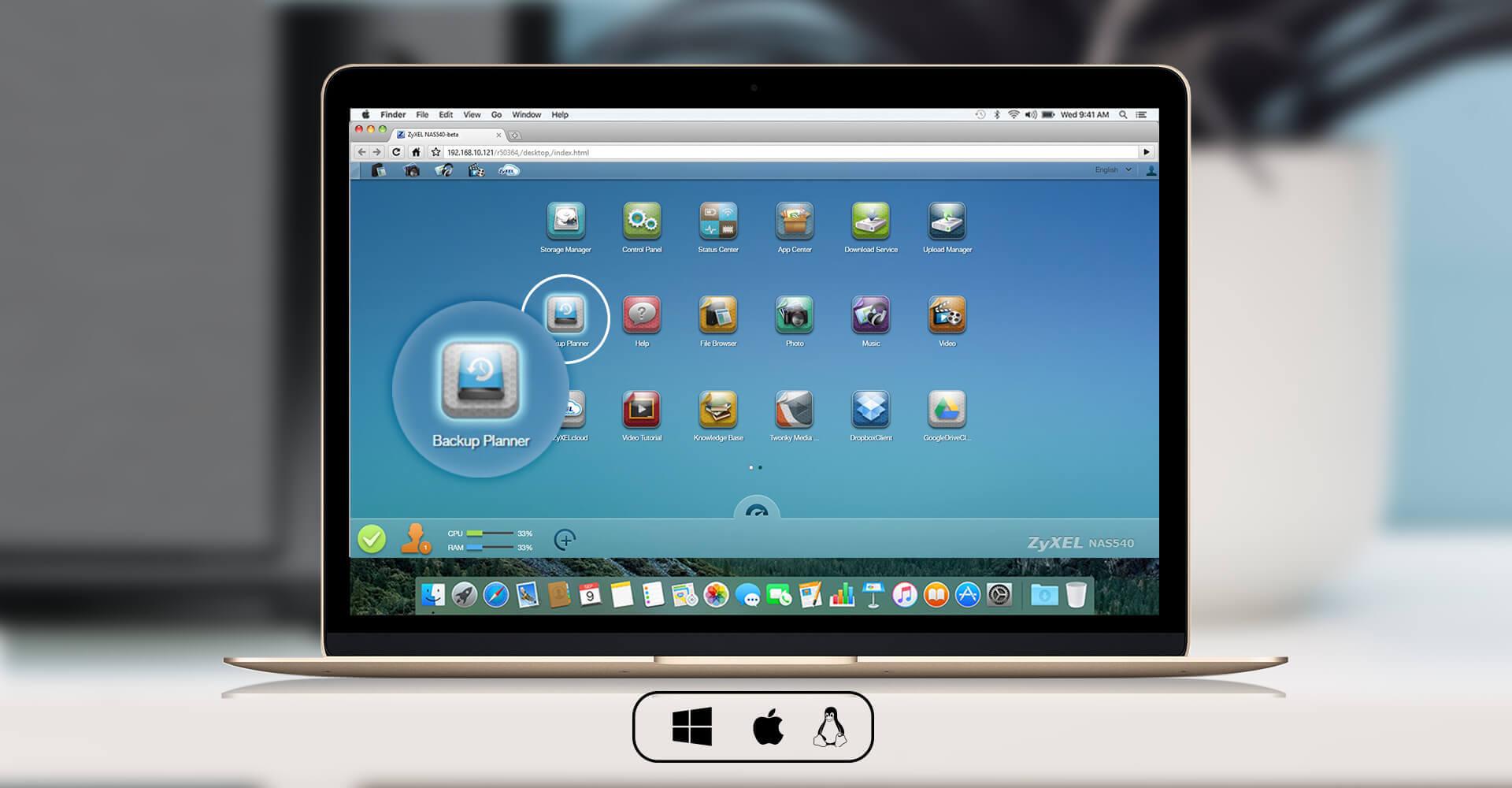
The latest intelligent desktop offers a smooth, user-friendly graphic interface NSM5.2 (NAS Station Management) that allows you to easily view and manage the applications on your Zyxel NAS542. You can multitask with multiple windows to get your applications up and running quickly.
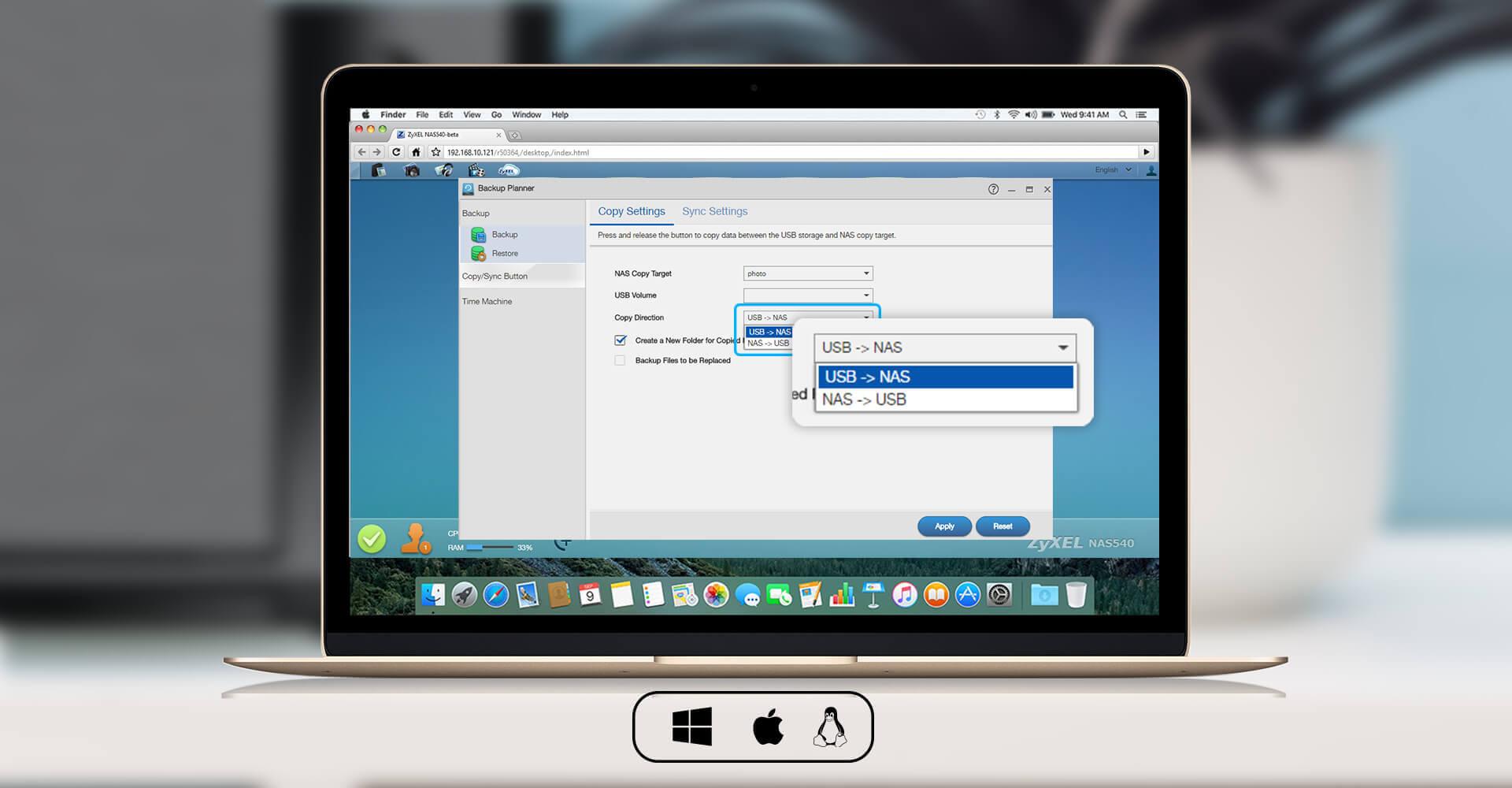
Instant/Scheduled backup

NAS to NAS synchronization/archive
Backup or NAS to external USB hard disk backup

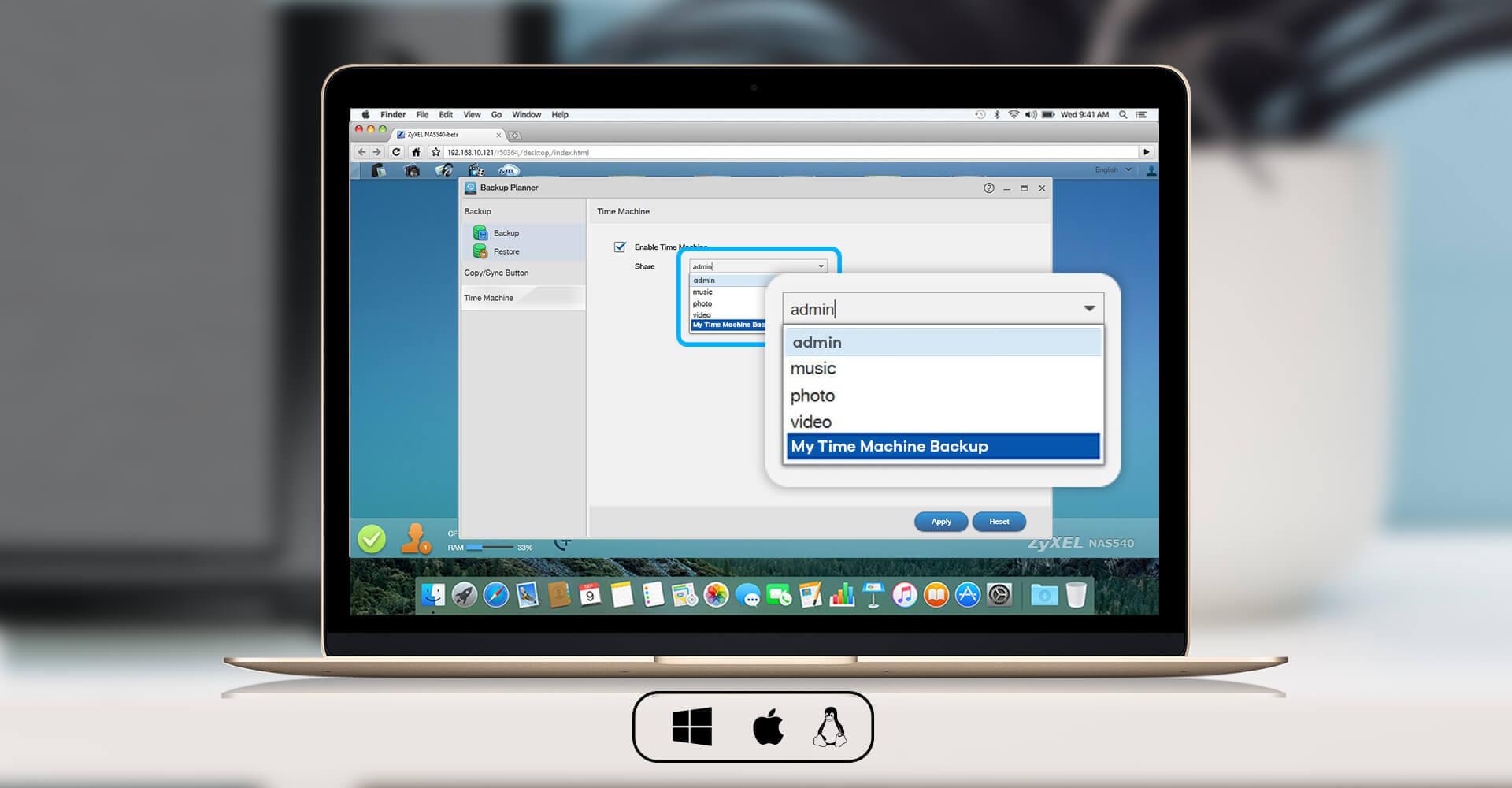
Apple Time Machine backup support


High-performance networking hardware

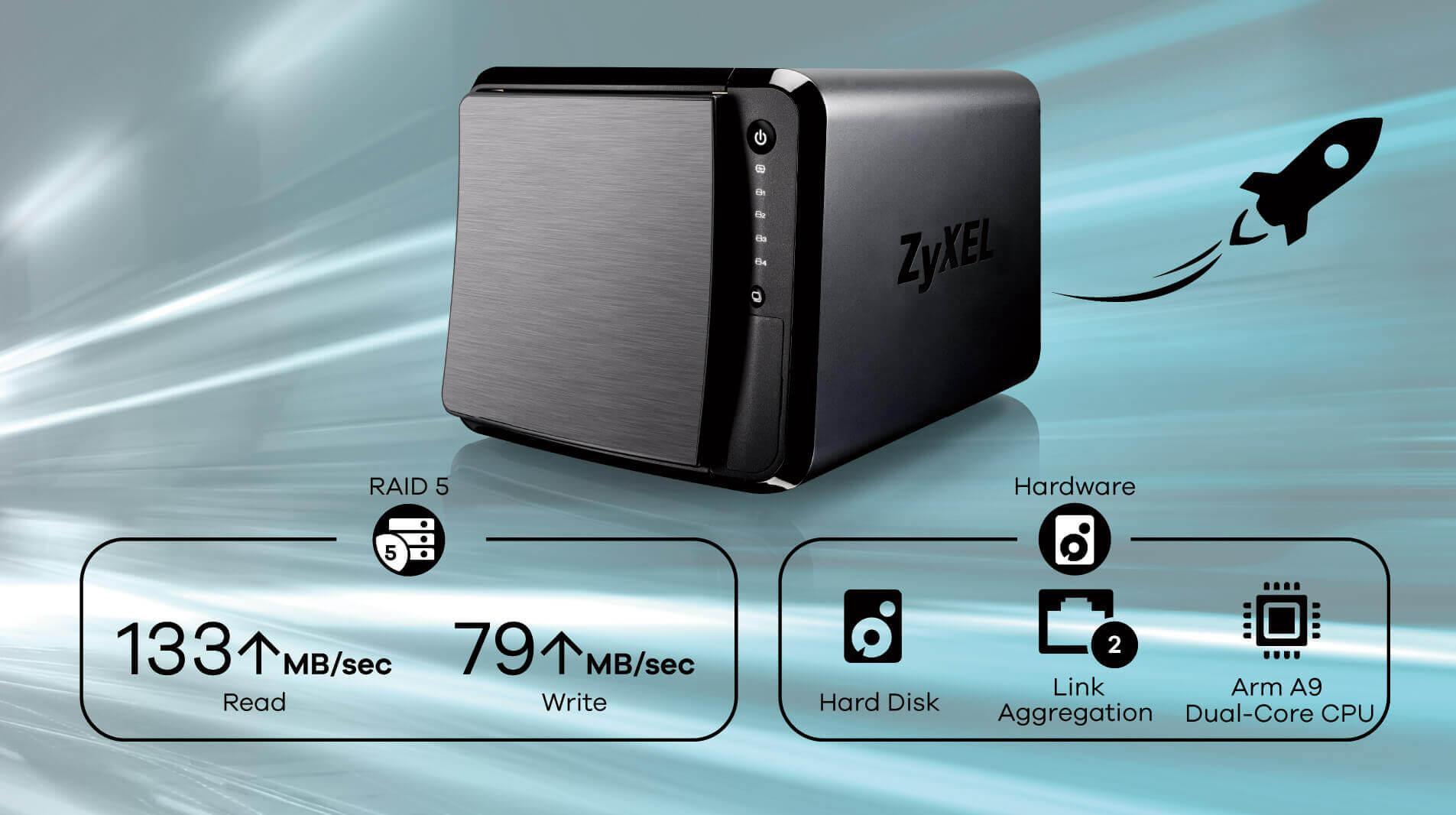
The ARM Cortex-A9 Dual Core CPU and 1 GB of DDR3 RAM enables the Zyxel NAS542 to handle intensive network data management tasks. Equipped with RAID-5 configuration NAS542 can deliver up to 133 MB/sec of reading and 79 MB/sec writing speeds. The two Ethernet LAN ports with link aggregation capability deliver the best data transfer speeds on your network.
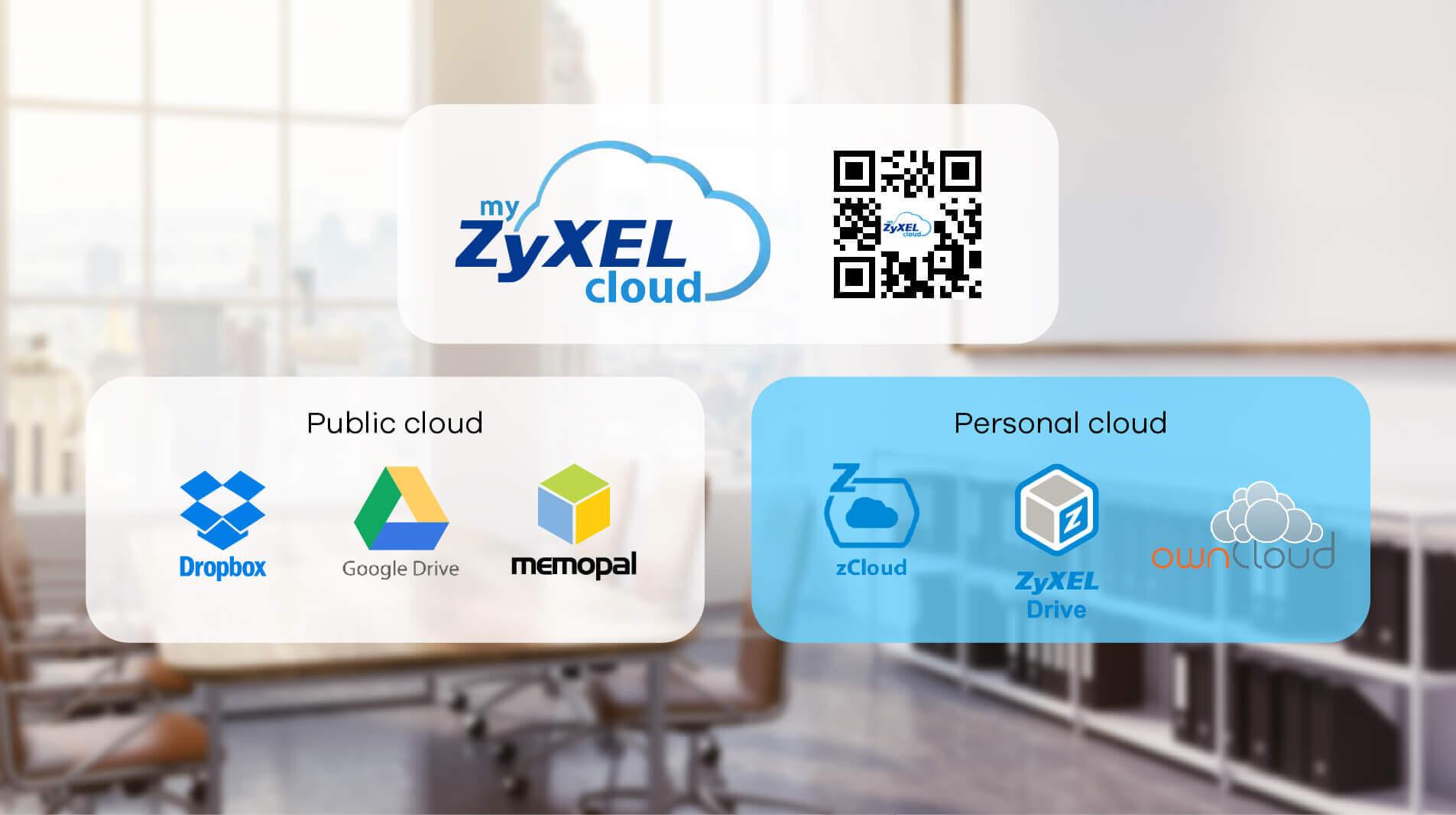


Check Your NAS and Access Your File While You’re Away

Zyxel zCloud enables you to view and access your multimedia contents on the NAS542 remotely through Android or iOS mobile devices. Through ownCloud support, you can also remotely access and sync files on Windows, Mac OS X, Android, iOS and even Linux computers. Instant Picture Upload automatically backs up your photos from your mobile device, and you can create public Web links with ownCloud to easily share files with friends, families or co-workers.


Simple setup and customized interface

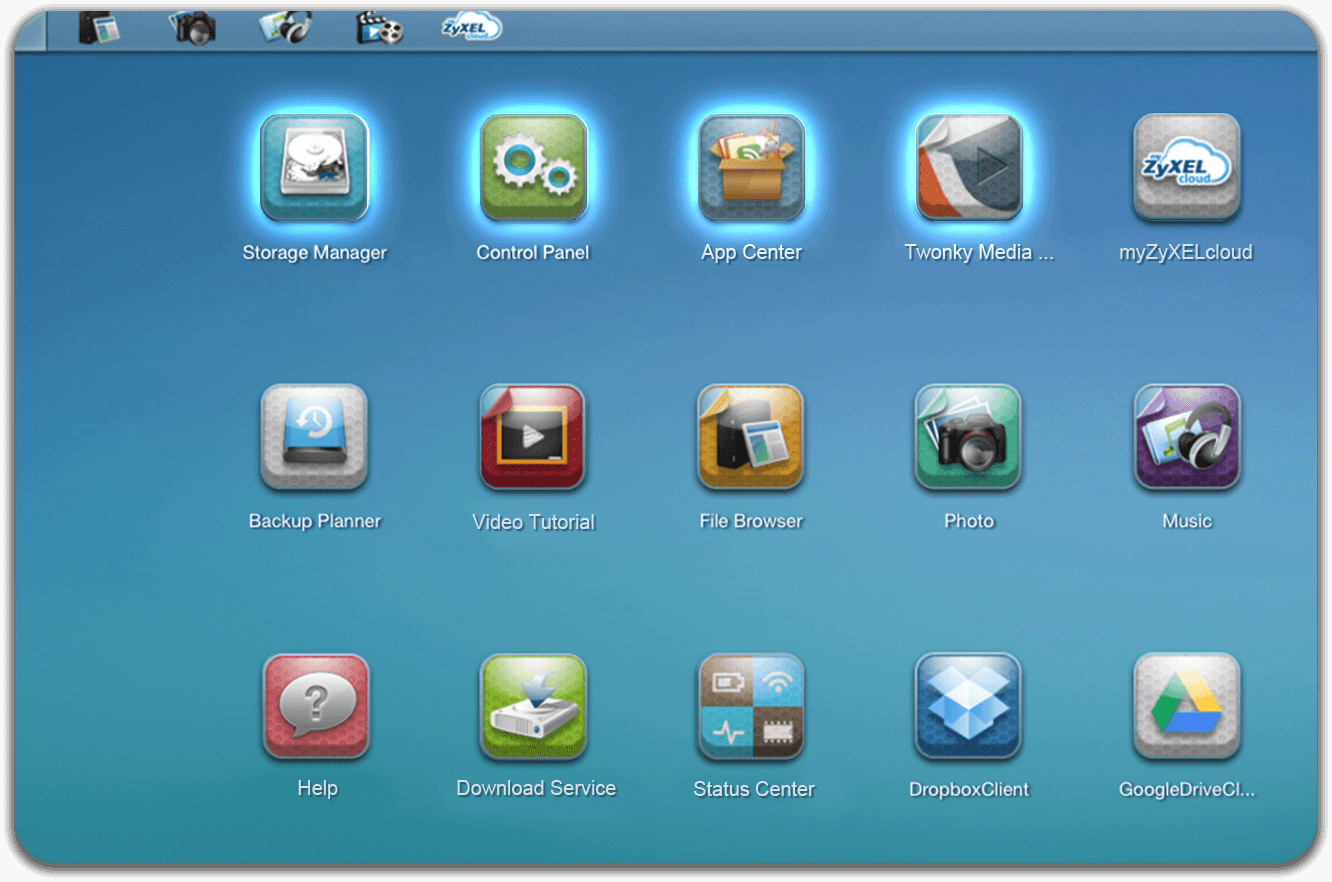
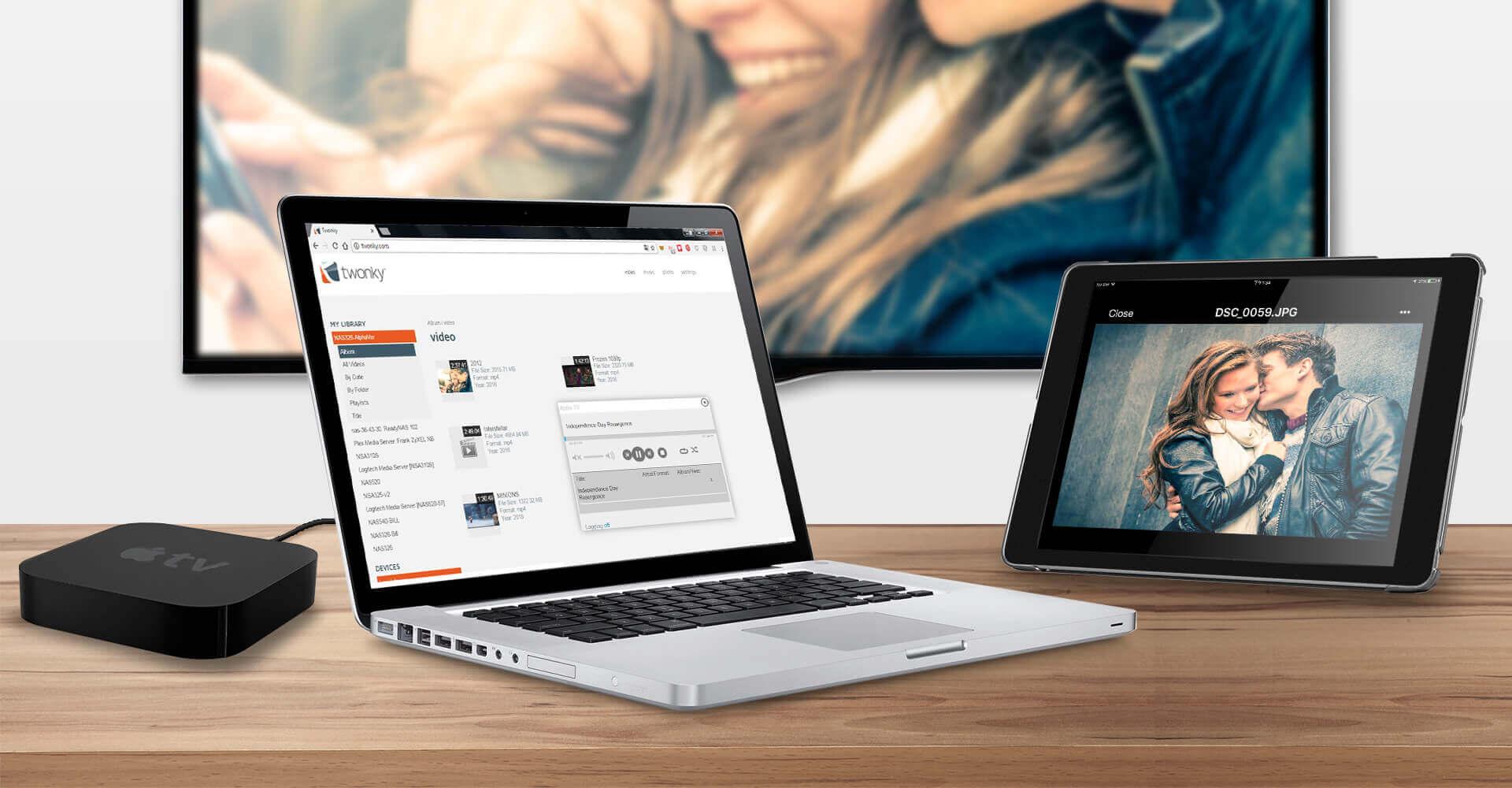
Customize it even further with the easy App center to install and update apps of your preference. We support the latest HTML5 video player, so now your HTML5 videos that stored in NAS can be quickly stream on DLNA-compliant smart TVs through Twonky Media Server.

-Storage Manager


-Control Panel


-Twonky Media


-App Center


System Specifications                                                                                                                   Hardware Specifications


  • CPU: FreeScale Dual Core Cortex-A9 1.2 GHz
  • Memory: DDR3 1 G
  • Four 2.5" or 3.5" SATA II hard disk the max support up to 64 TB (16 TB x4)
  • Hot swappable HDD support
  • Two Gigabit Ethernet RJ-45 connectors
  • Three USB 3.0 ports
  • One SDXC card read (Up to 128 GB)
  • Buttons:
    • Power button
    • Copy/Sync button
    • Reset button
  • Smart fan design
  • Power consumption:
    • Access mode: 36.5 watt (Max)
    • Hard disk spin-down mode: 14.8 watt
  • Power:
    • Input: 100 - 240 V AC, 50/60 Hz
    • Output: 19 V DC, 4.74 A

Physical Specifications

  • Item dimensions (WxDxH): 190 x 225 x 160 mm (7.48" x 8.85" x 6.29")
  • Item weight: 2,000 g (4.40 lb.)
  • Packing dimensions (WxDxH): 316 x 269 x 286 mm (12.44" x 10.59" x 11.26")
  • Packing weight: 3,800 g (8.38 lb.)


Operating Environment

  • Temperature: 0°C to 40°C (32°F to 104°F)
  • Humidity: 10% to 95% (Non-condensing)

Storage Environment

  • Temperature: -30°C to 70°C (-22°F to 158°F)
  • Humidity: 10% to 95% (Non-condensing)


  • Safety: CE LVD, BSMI
  • EMC: CE, FCC class B, C-Tick, BSMI
  • Others: DLNA 1.5, UPnP


Networking

  • Network protocol:
    • CIFS/SMB for Windows
    • NFS for Linux/Unix
    • AFP for Mac
    • DHCP client
    • PPPoE
    • Network Time Protocol (NTP)
    • iSCSI
  • Network applications:
    • Media server:
      • Twonky media server with DLNA 1.5 and UPnP AV
      • iTunes server
      • Logitech media server
      • Photo album server
  • Web service:
    • WebDAV
    • FTP server
    • phpMyAdmin/MySQL/PHP
    • RSS client & server
    • Print server (CIFS)
    • Remote access support (DyDNS)
  • iOS and Android application:
    • Zyxel Drive, zCloud, ownCloud
  • Network application management:
    • User & group management
    • Package management for setting up applications
  • Network security:
    • Support HTTPS and FTPES (FTP over explicit TLS/SSL)
    • Encrypted NAS to NAS remote replication
    • Encrypted NAS to external disk archive backup

Data Management

  • Backup support:
    • One-touch copy/sync button for external USB capable devices backup
    • Backup planner:
      • Instant/Scheduled backup
      • NAS to NAS synchronization/archive backup
      • Rsync
      • NAS to external USB hard disk backup
    • Google Drive**, Dropbox, Memopal, ownCloud, SynBackupfree and NetDrive support
    • Apple Time Machine support
  • Download/Upload support:
    • Auto-download from FTP/HTTP/P2P download service (Torrent file supported)
    • Scheduled download
    • Auto-upload photos and videos to YouTube/Flickr/FTP server
  • File system support:
    • Internal HDD: EXT4
    • External HDD: NTFS, EXT2, EXT3, EXT4, FAT32, HFS+ (read only)

System Management

  • JBOD, RAID 0/1/5/6/10, RAID 5+ Hot Spare
  • Online firmware upgrade
  • Self-Monitoring Analysis and Reporting Technology (S.M.A.R.T.)

Power and Thermal Management

  • Power control:
    • Internal disk hibernation support
    • Scheduled power on/off/reboot
    • Wake-on-LAN support
    • System automatically resume after power outage
    • APC USB UPS monitoring and auto shutdown
  • Thermal management:
    • Smart fan speed control
    • High temperature alert/buzzer
    • Auto shutdown while high temperature

Minimum System Requirements

  • OS for utility: Windows XP onward, Mac OS X 10.5 onward
  • Browser: IE 11+, Firefox 20+, Google Chrome 37+, Safari 5+

Application Package Center

  • myZyxelcloud service
    • myZyxelCloud agent, version 1.04
  • Cloud application
    • ownCloud (Cloud synchronization server), version 7.0.15
    • Google Drive**, version 0.5.0
    • Dropbox, version 6.7.0
    • Memopal, version 3.0.0
  • Download management
    • NZBGet (NZB file download management supported), version 15.0
    • Transmission (Torrent file supported), version 2.84
    • pyLoad (Download manager for many oneclick-hosting sites), version 0.4.9
  • Additional
    • Gallery (The web-based application allows your NAS to host pictures), version 3.0.9
    • WordPress (Blogging tool and content management system), version 4.4.1
    • Tftp, version 0.7
    • NFS, version 1.3.0
    • Logitech media server (Stream audio system), version 7.7.4
    • PHP-MySQL-phpMyAdmin (MySQL administration tool), version 1.0