безплатна доставка
на поръчки над 100 EUR


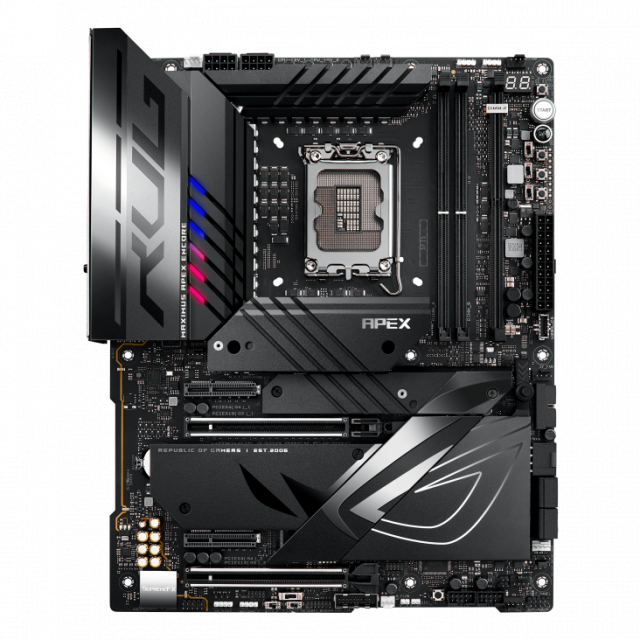
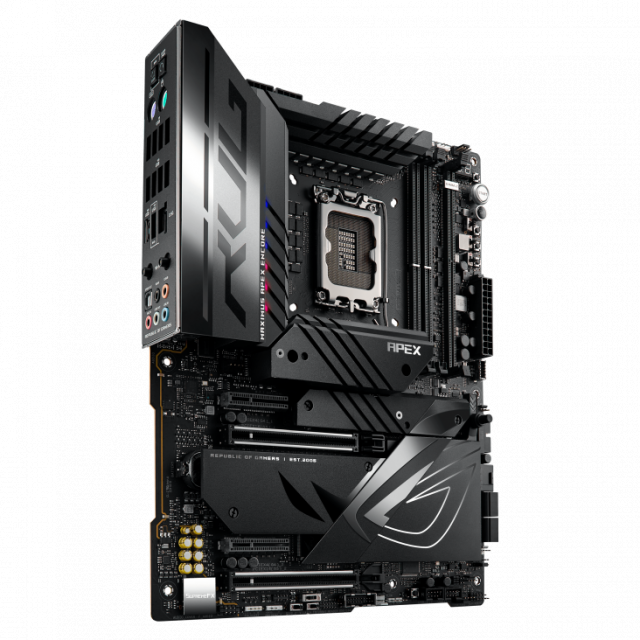
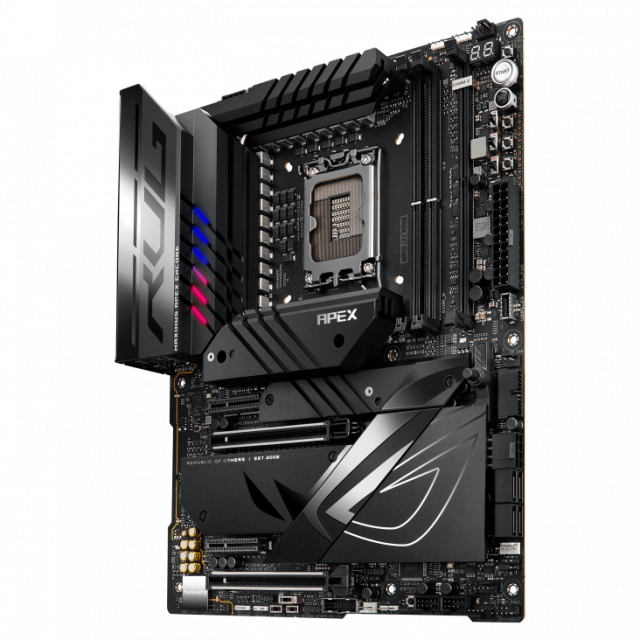
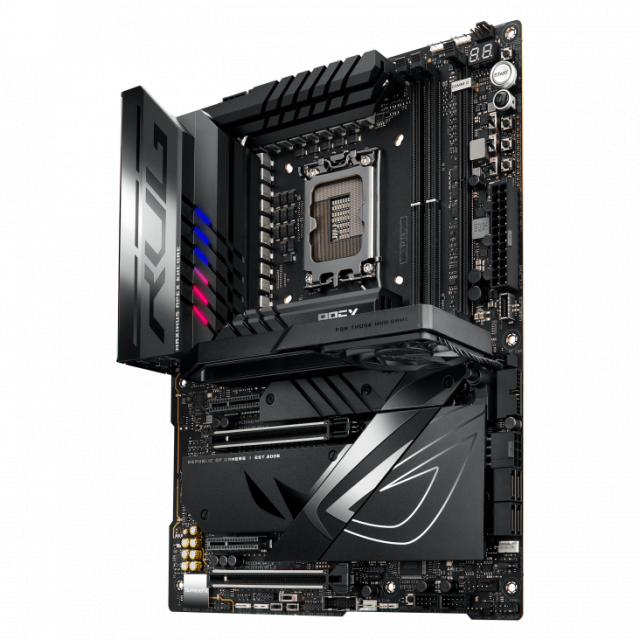
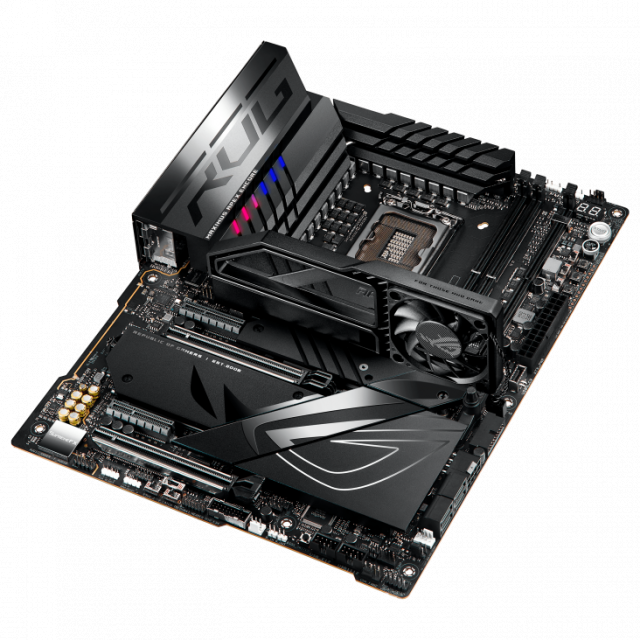
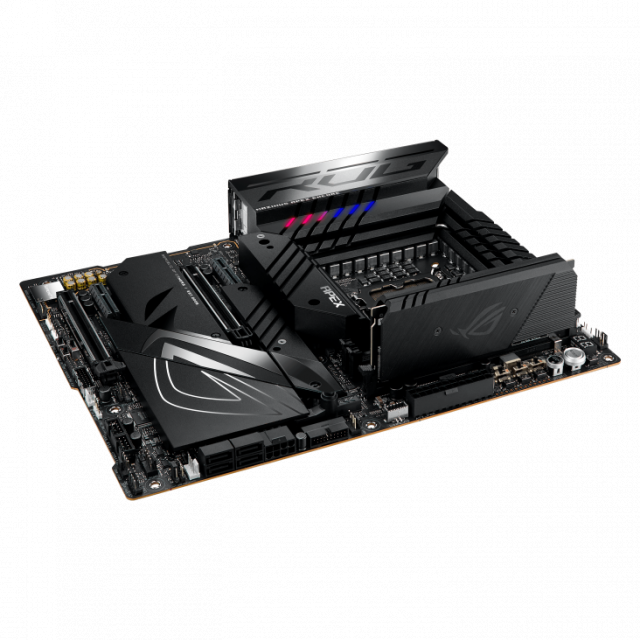
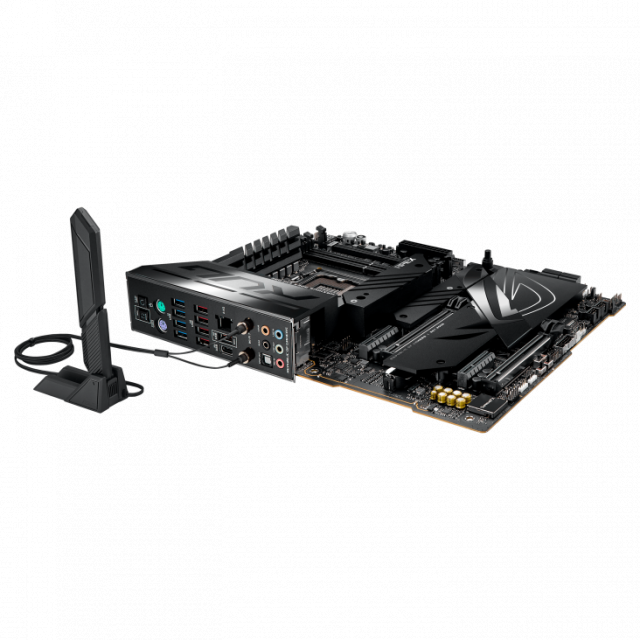
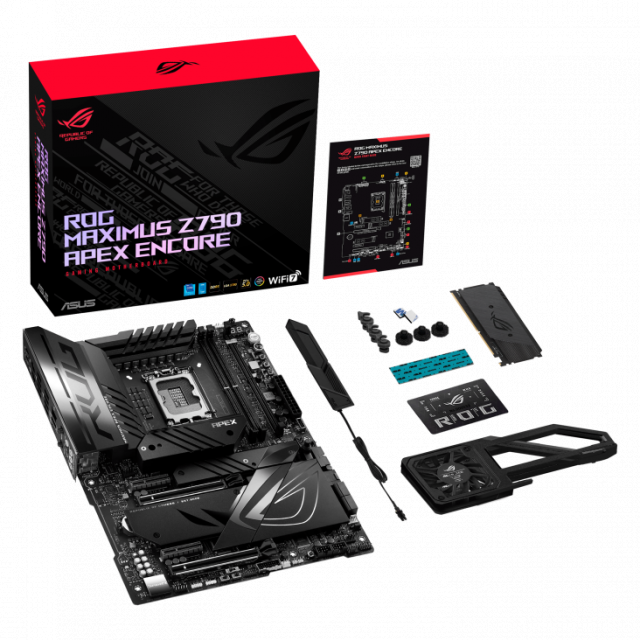
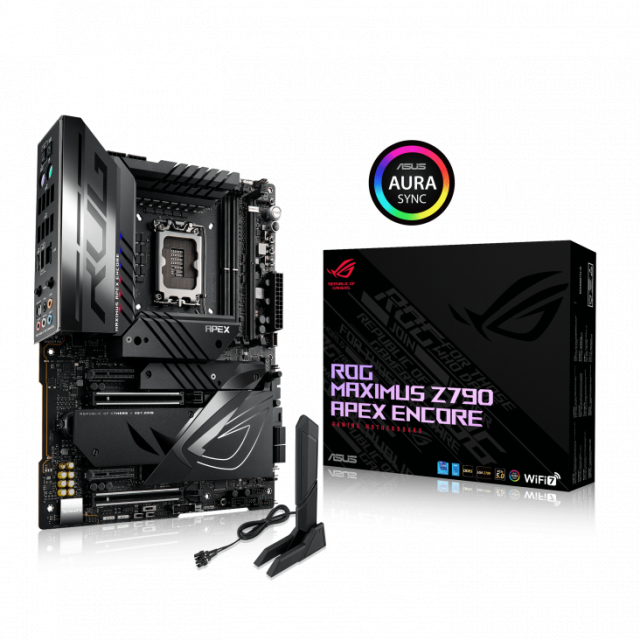


| Гаранция | 36 месеца |
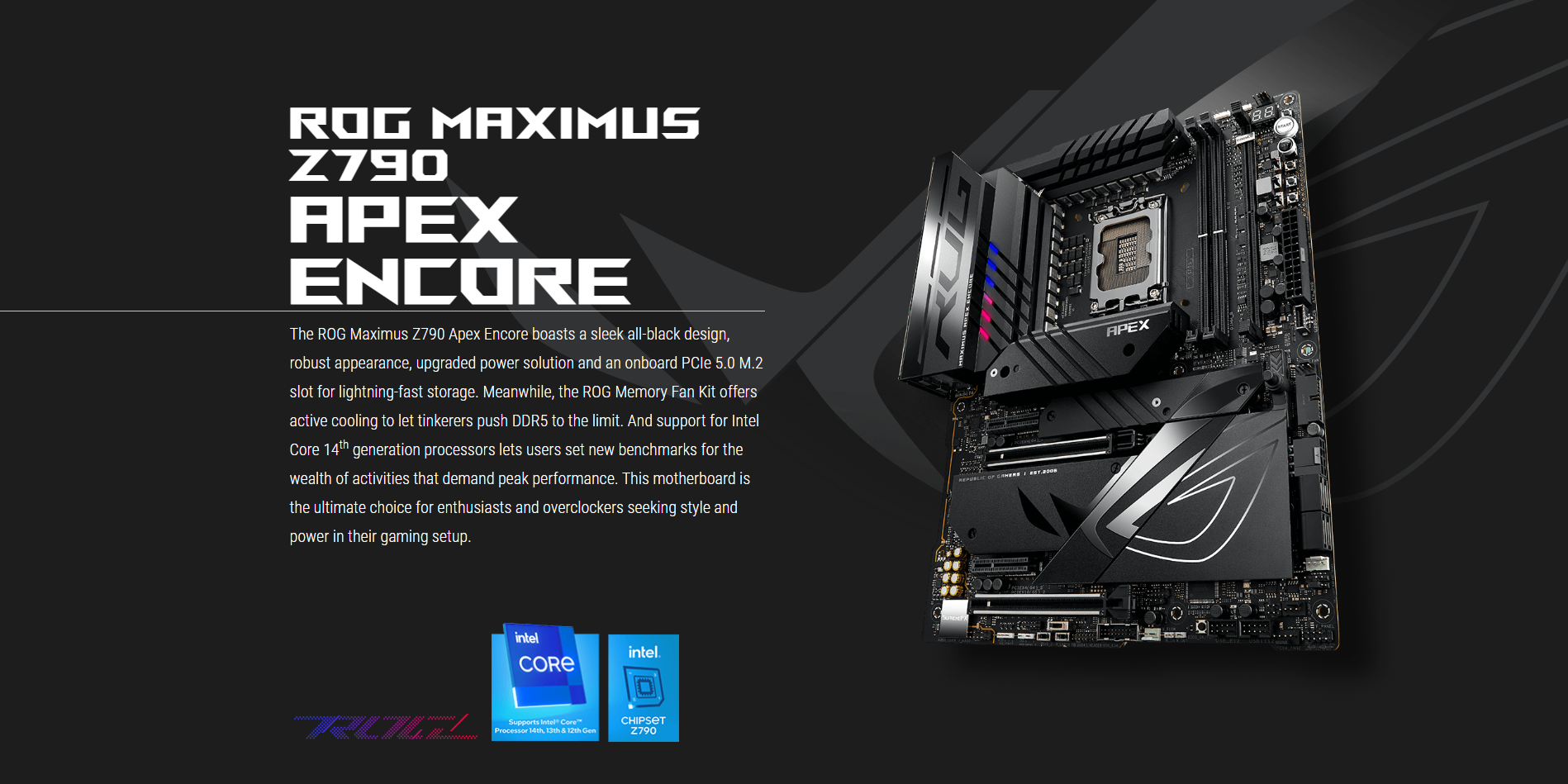
| Сокет | Intel 1700 |
| Форм Фактор | ATX |
| Чипсет | Intel Z790 |
| Брой слотове за памет | 2 |
| Капацитет на RAM | до 96 GB |
| Честота на памет | до 8400 MT/s |
| RGB Подсветка | Да |
| Поддържана памет | DDR5 |
| Вграден Wi-Fi | Да |
 0% лихва за 6 месеца
 0% лихва за 6 месеца
 0% лихва за 6 месеца
 0% лихва за 6 месеца
 0% лихва за 6 месеца
 0% лихва за 6 месеца
 0% лихва за 6 месеца
 0% лихва за 6 месеца
 0% лихва за 6 месеца
 0% лихва за 6 месеца
 0% лихва за 6 месеца
 0% лихва за 6 месеца
 |
 |
 |
 |
 |
||||||
|
EXTENSIVE GEN 5 x1 onboard M.2 slot, and x2 PCIe 5.0 x16 slots |
MAX. 96GB, DIMM FLEX, AEMP II
|
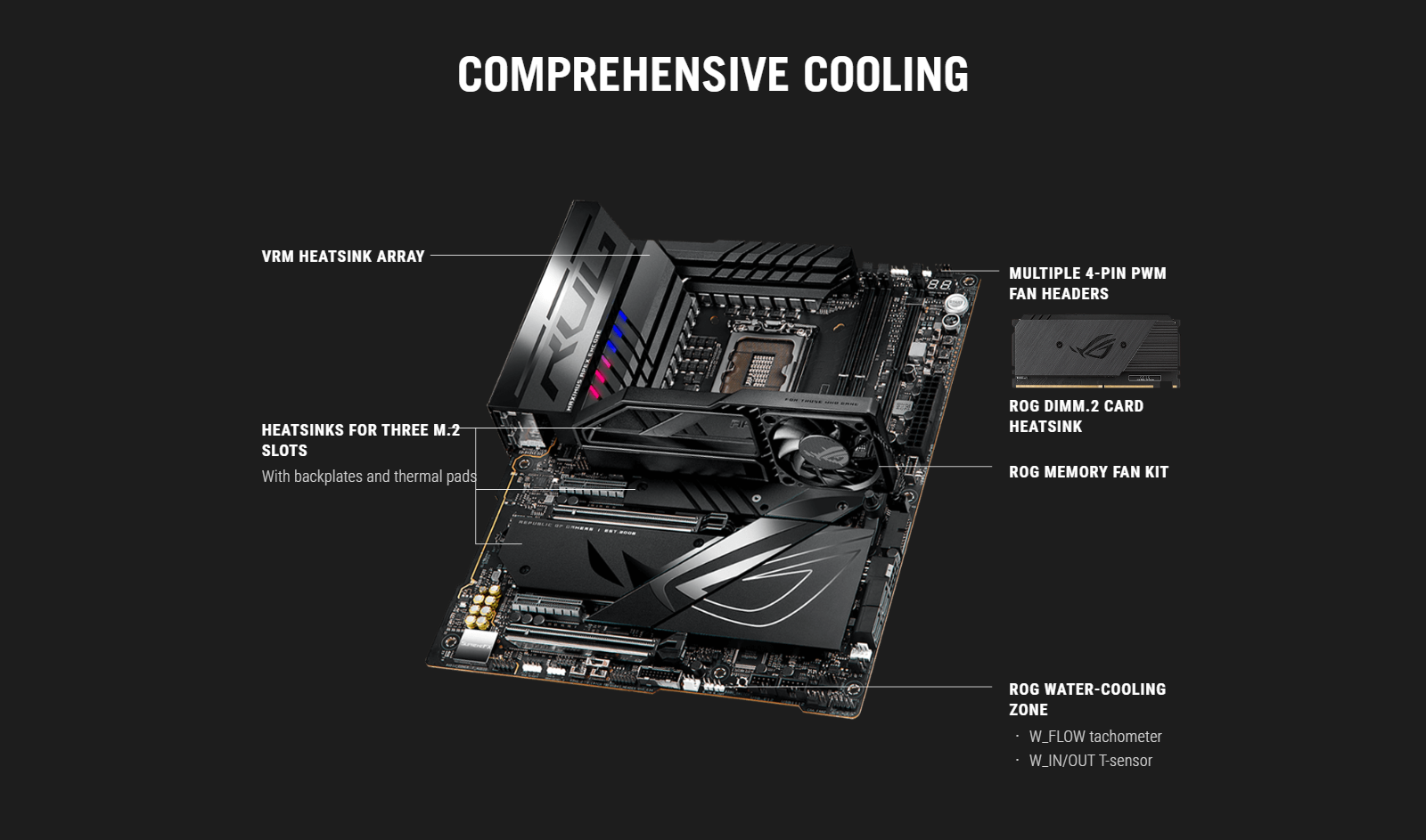
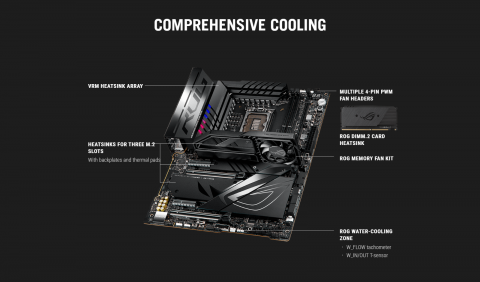
ROG MEMORY FAN KIT
|
WIFI 7
|
ROG DIMM.2 Adds x2 M.2 slots in a DIY-friendly shell |
 |
 |
 |
 |
|||||
|
AI OVERCLOCKING Effortless performance boost |
AI COOLING II One-click fan tuning
|
TEAMED POWER SOLUTION
|
DIY-FRIENDLY DESIGN
|
Tried and tested OC features offer extensive control over system performance for seasoned veterans and new recruits alike. Leverage onboard intelligence to automatically adapt CPU performance, or get a headstart on manual tuning and then utilize advanced tools and utilities to stay on the pulse and push boundaries.
Tuning is now faster and smarter than ever before. ASUS AI Overclocking profiles the CPU and cooling to predict the optimal configuration and push the system to its limits. Predicted values can be engaged automatically or used as a launching ground for further experimentation.
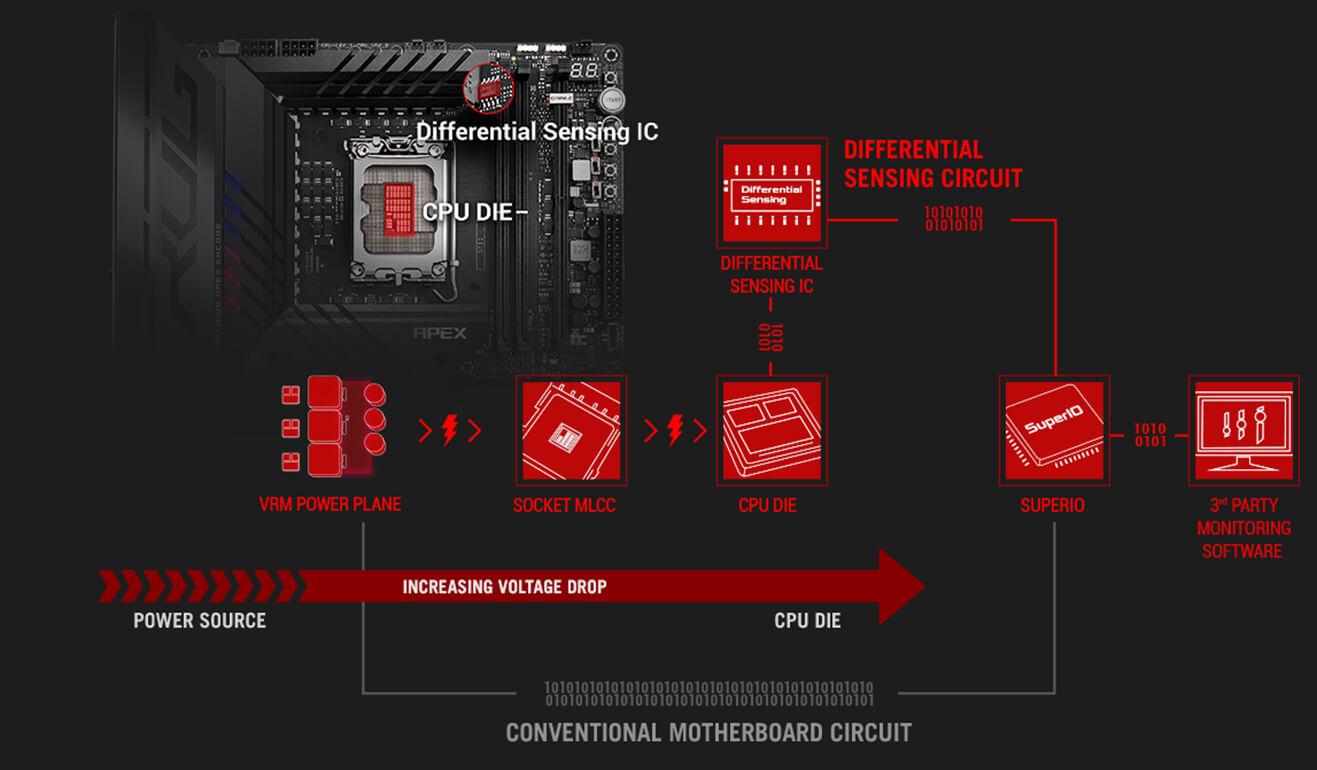
DIFFERENTIAL SENSINGConventional motherboards use single-ended sensing tapped from a location that isn't ideal, leading to a large disparity between the actual voltage fed to the CPU and the value reported to software. The ROG Maximus Z790 Apex Encore features a differential-sensing circuit and delicate IC that simplify overclocking and tuning by allowing you to track voltages more accurately. |
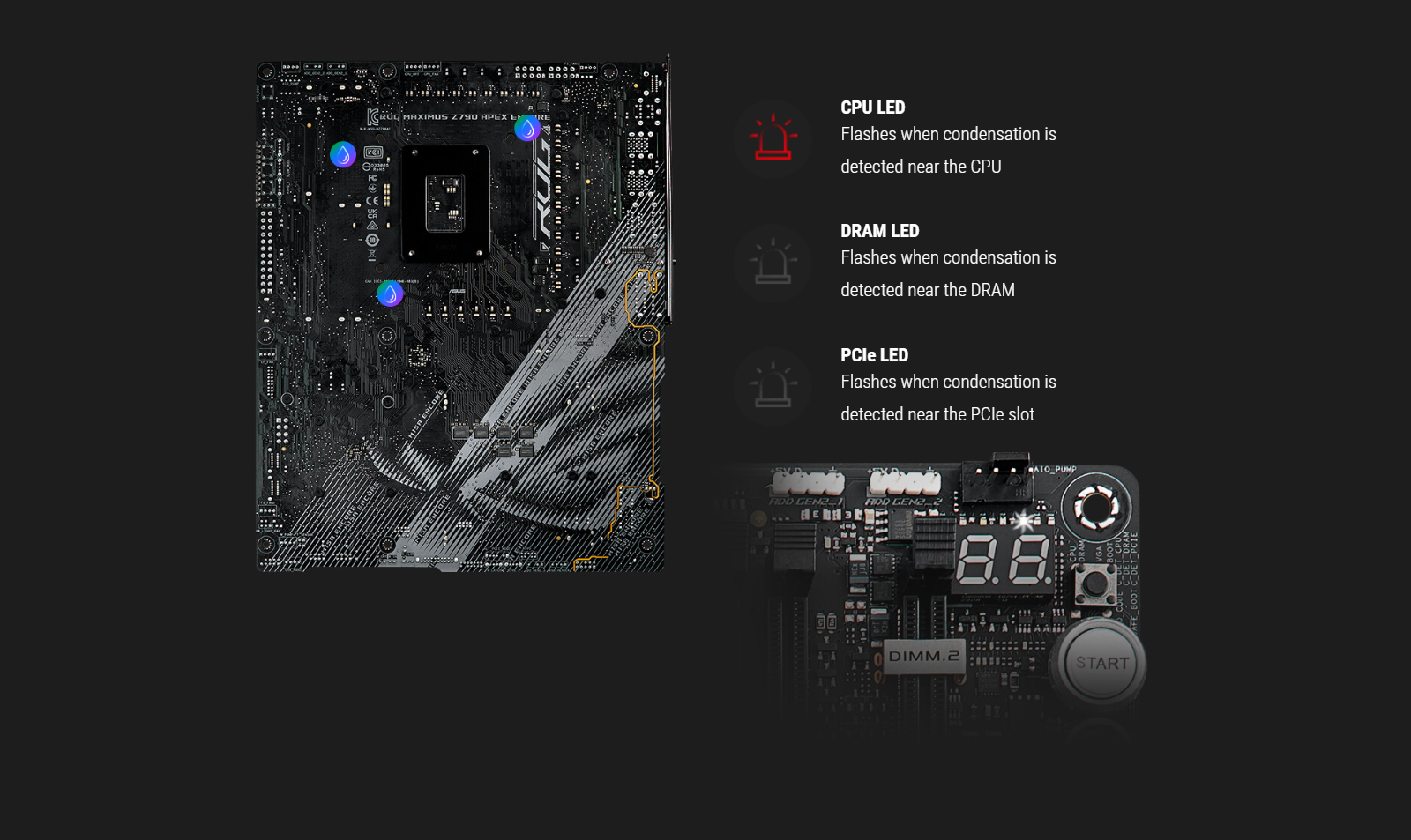
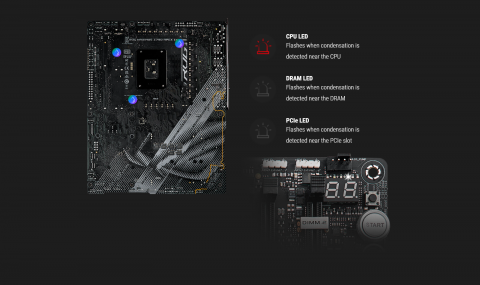
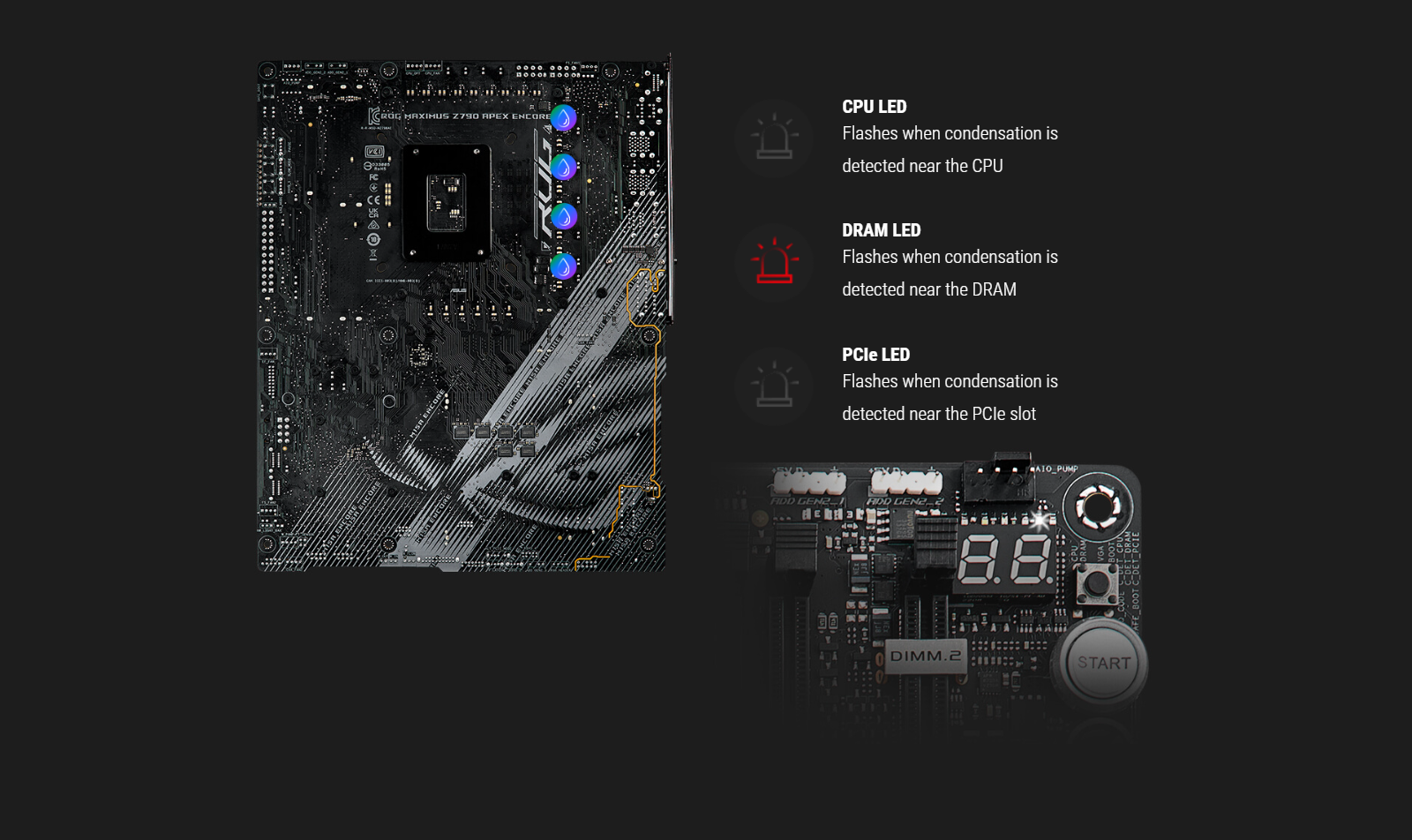
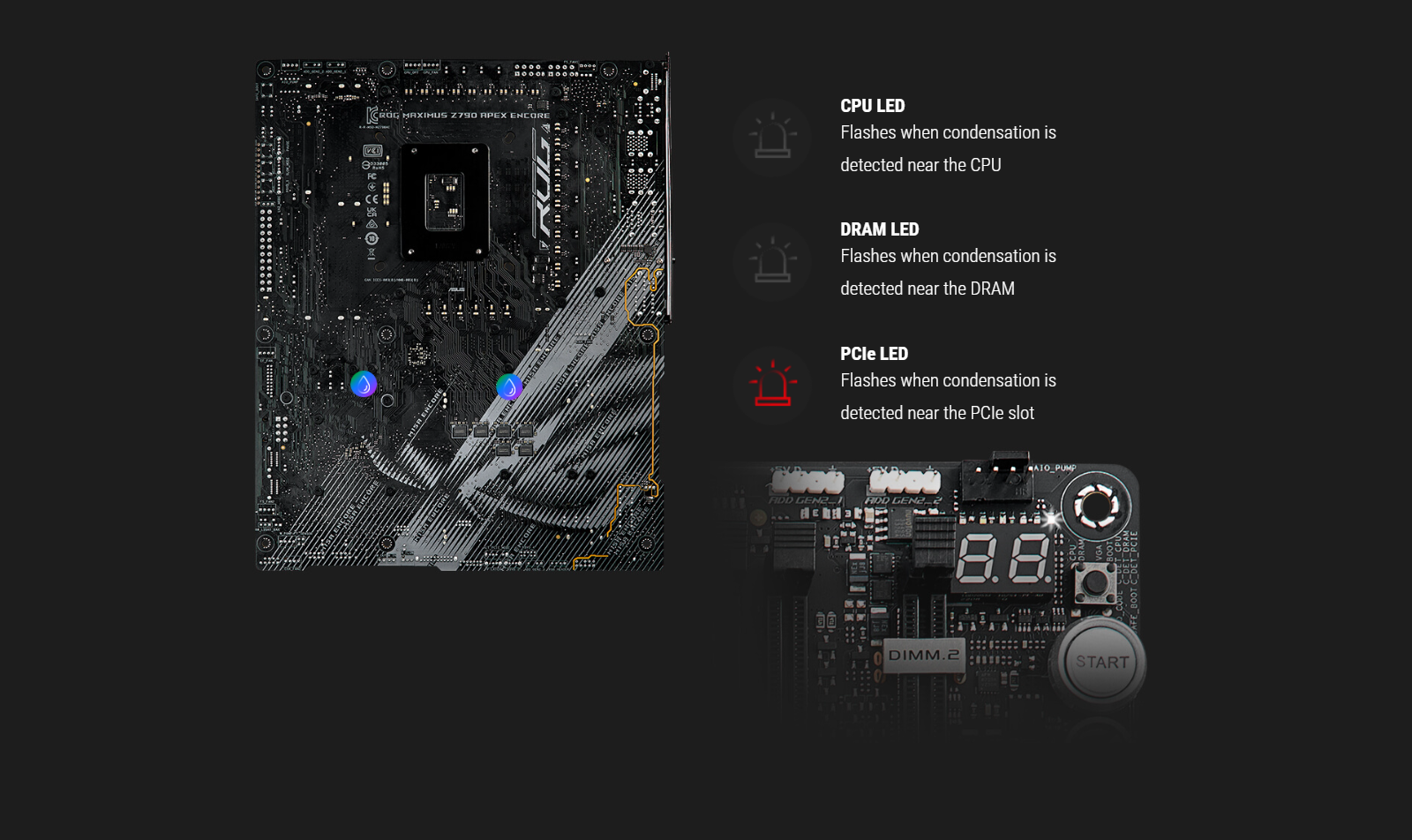
CONDENSATION DETECTIONSpecialized circuitry allows ROG Maximus Z790 Apex Encore to detect when condensation occurs on the back of the board. Divided into three distinct sections — CPU, DRAM, and PCIe — the feature provides a useful warning when an area may be at risk of short-circuiting. |
Today's CPU architectures place incredible demands on motherboard power design by transitioning from deep power-saving modes, going from lower-power mode to full load in an instant. The latest ROG VRM architecture rises to the challenge by utilizing teamed power stages to rapidly swing current, while maintaining exemplary thermal performance.
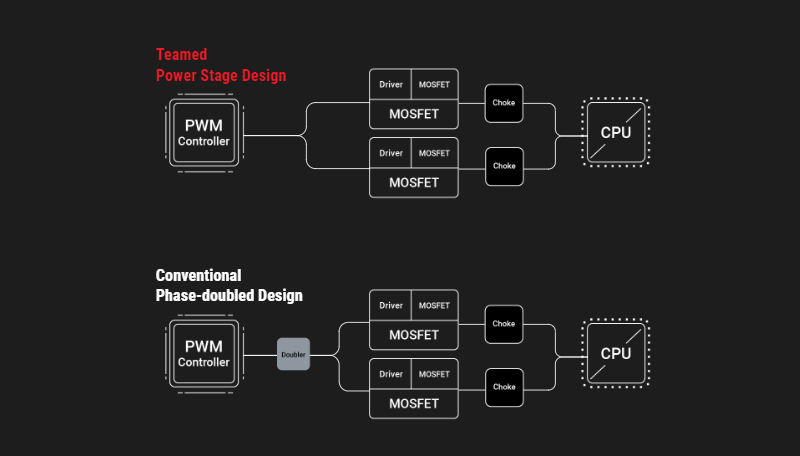
A BRIEF HISTORYASUS became the first manufacturer to implement phase-doublers with the A8N32-SLI Deluxe motherboard, back in 2005. The board's VRM was lauded for elegantly overcoming the power handling capabilities of components that were available at the time while also reducing voltage ripple. Those benefits led to phase-doublers becoming universally accepted in the industry, and they are still used for similar purposes today. |
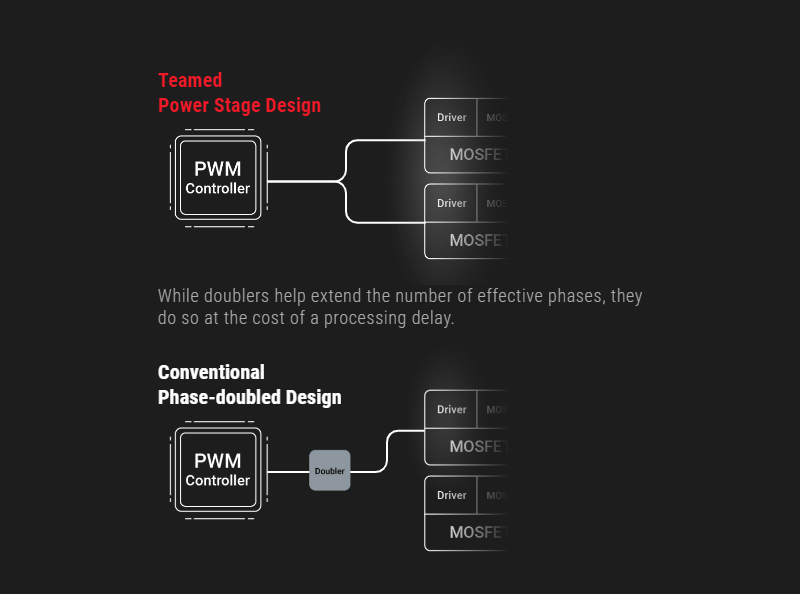
Modern CPUs pack more cores than their predecessors, and the latest instruction sets allow them to crunch computationally dense workloads at an incredible pace. In addition, they consume less power at idle and can transition between load states much more quickly. These improvements necessitate a re-evaluation of power-design priorities because phase-doublers add a propagation delay that hampers transient response.
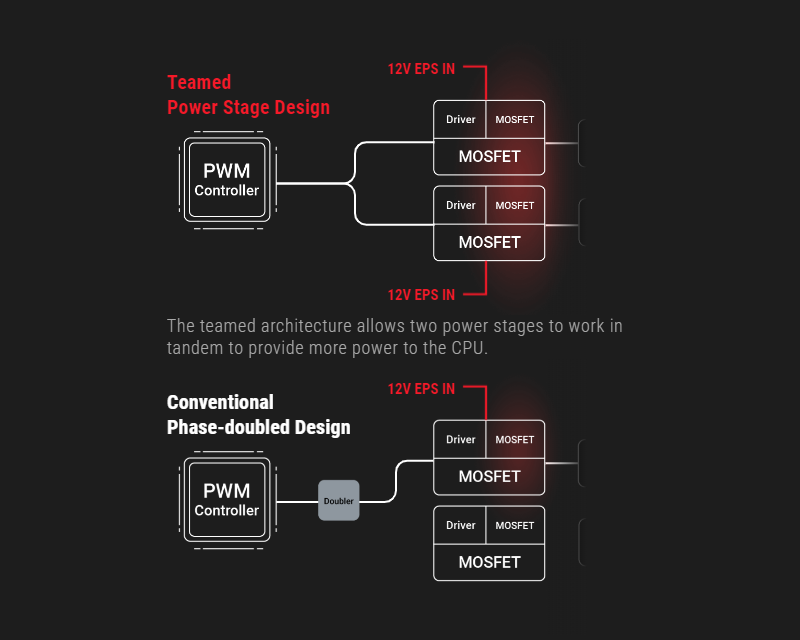
BUCKING THE TRENDFortunately, the latest integrated power components can handle higher currents than the devices of yesteryear, making it possible to implement a simple circuit topology that isn't hamstrung by the processing lag of phase-doublers. That's why the ROG Maximus Z790 Apex Encore utilizes teamed power stages to deliver higher burst current per phase, while maintaining the thermal performance of phase-doubled designs. |
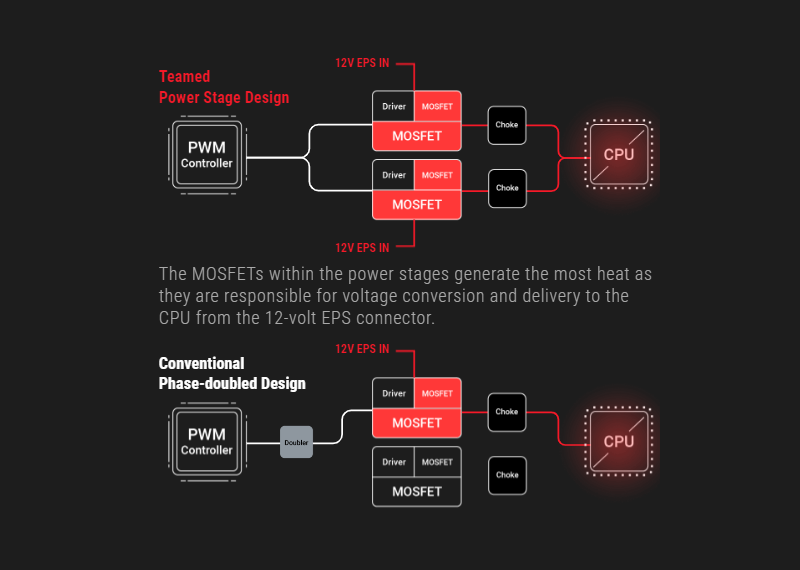
Each VRM component serves a specific purpose. PWM controllers and phase-doublers control the circuit, and the power stages do the heavy lifting from an electrical and thermal standpoint. The power stages feature low RDSON to reduce switching and conduction losses, helping to improve overall thermal headroom.
Comprehensive memory tuning options are the cornerstone of ROG motherboards. With the ROG Maximus Z790 Apex Encore, you can extract all of the potential out of your DDR5 modules, regardless of if they're from an extreme-speed kit or an entry-level set that would otherwise be locked.
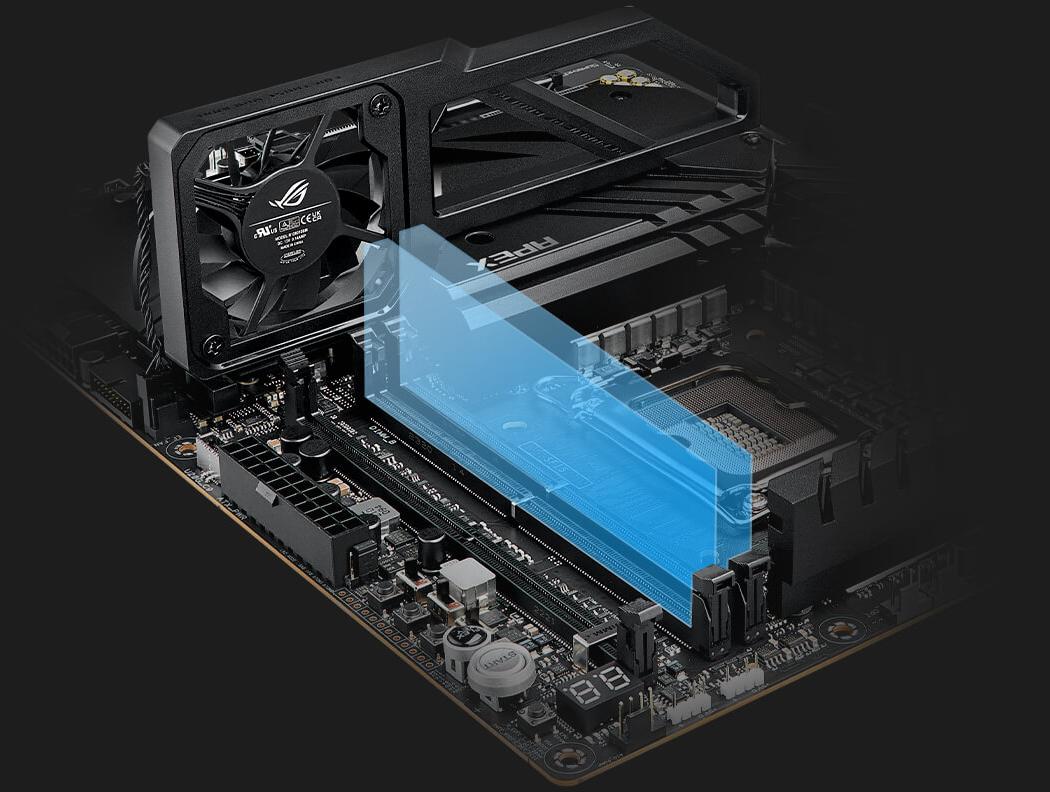
ROG has a long legacy of flexing the fastest memory performance, and DDR5 is no outlier. Thanks to improved signal routing, now enthusiast-grade kits have been driven as far as 8 GT/s on the Maximus Z790 Apex Encore, and who knows how far future DIMMs can go? Seasoned veterans can test their mettle by tinkering with the extensive array of tuning options in the UEFI. The ROG Maximus Z790 Apex Encore is also equipped with the ROG Memory Fan Kit – a cooling solution to solidify DDR5 stability and unleash memory overclocking. With the ROG Memory Fan Kit, your DDR5 modules can push the boundaries and reach overclocking speeds of 8400+ MT/s. Experience superior cooling performance and unlock the full potential of your memory with ease.


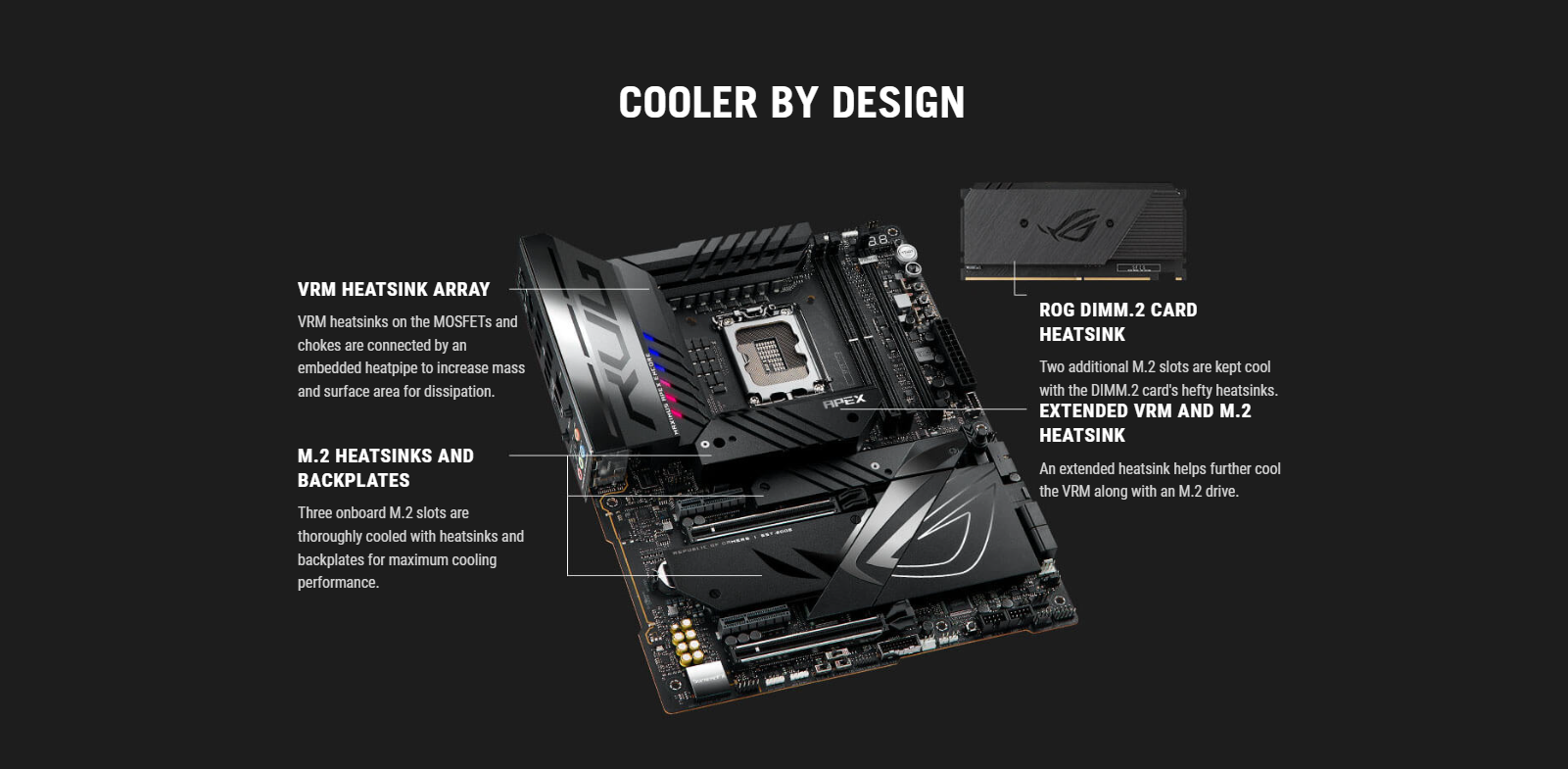
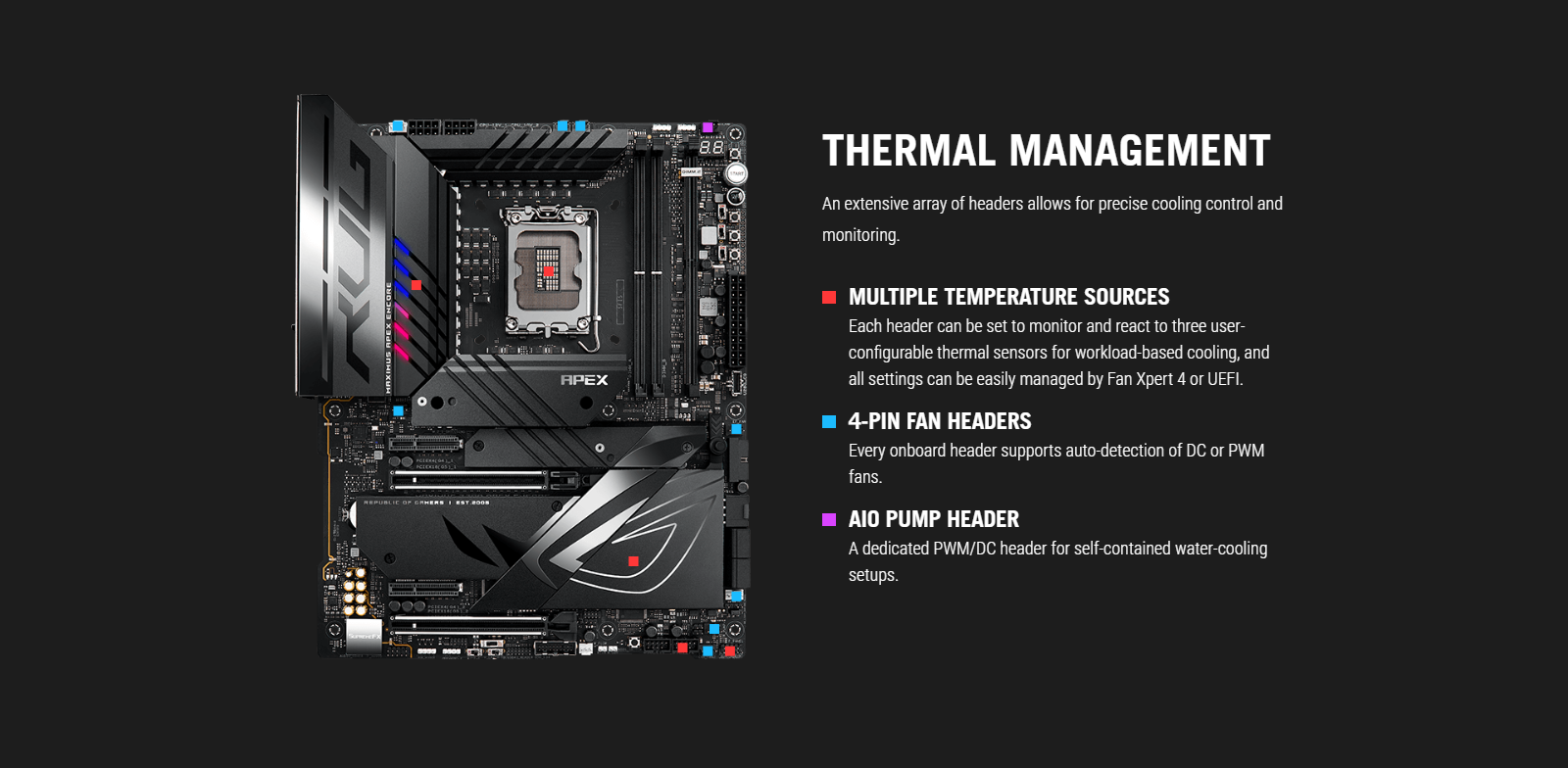
WIFI 7Next-gen WiFi 7 chipset introduces all-new ultrawide 320 MHz channel bandwidth in the 6 GHz band and 4096 QAM, delivering up to 2.4X ultra-fast WiFi speeds. The revolutionary Multi-Link Operation (MLO) provides a more stable WiFi connection and lower latency, unlocking the realms of the unknown in gaming, streaming, and industrial IoT. |
2.5Gb ETHERNETLow-latency gaming, speedy file transfers, and high-resolution video streaming are among the many perks of onboard Intel 2.5 Gbps Ethernet.
|
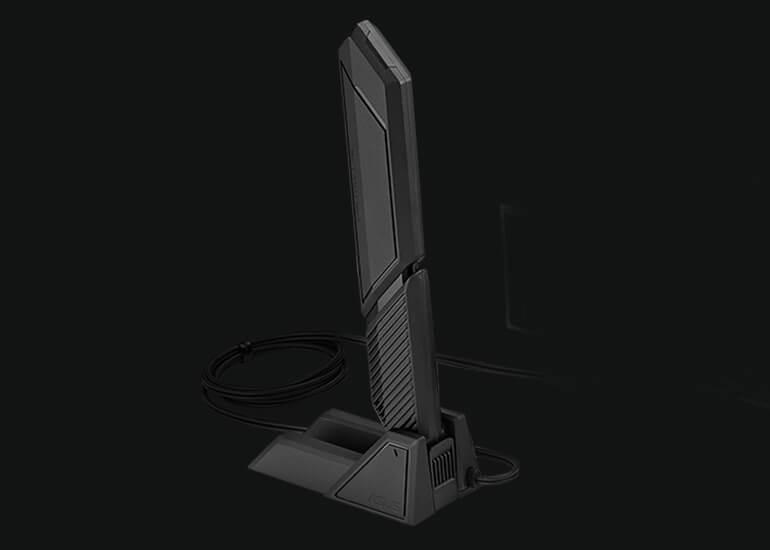
ASUS WIFI Q-ANTENNADual transceivers support the 2.4, 5 and 6 GHz bands to enable faster throughput, with directional sensitivity to improve signal quality and cover greater distances.
Wireless Signal Reception ImprovementVersus previous-generation antenna |
| Up to +6% 6GHz |
Up to +18% 5/2.4 GHz |
Armoury Crate’s Fast Check empowers users to rapidly detect WiFi signal strength.
DIRECTION FINDERArmoury Crate’s Direction Finder* helps users detect the optimal antenna orientation for achieving the best WiFi signal strength. *The Direction Finder is only compatible with connections in the 5GHz and 6GHz bands |
Fully embracing the new standard, the ROG Maximus Z790 Apex Encore offers abundant Gen 5 support to give unfettered bandwidth to the fastest SSDs and graphics cards available.
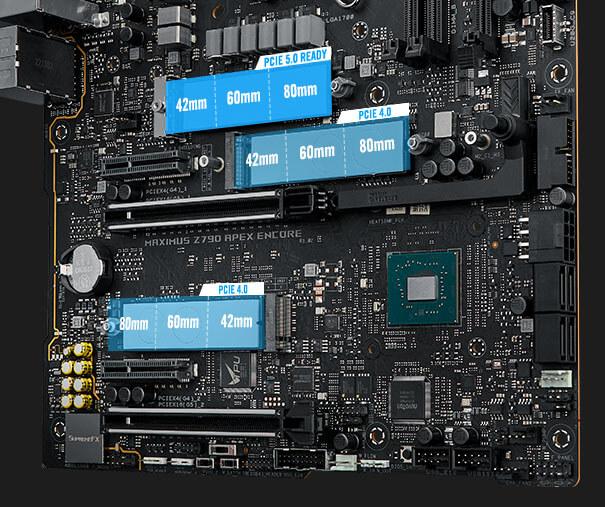
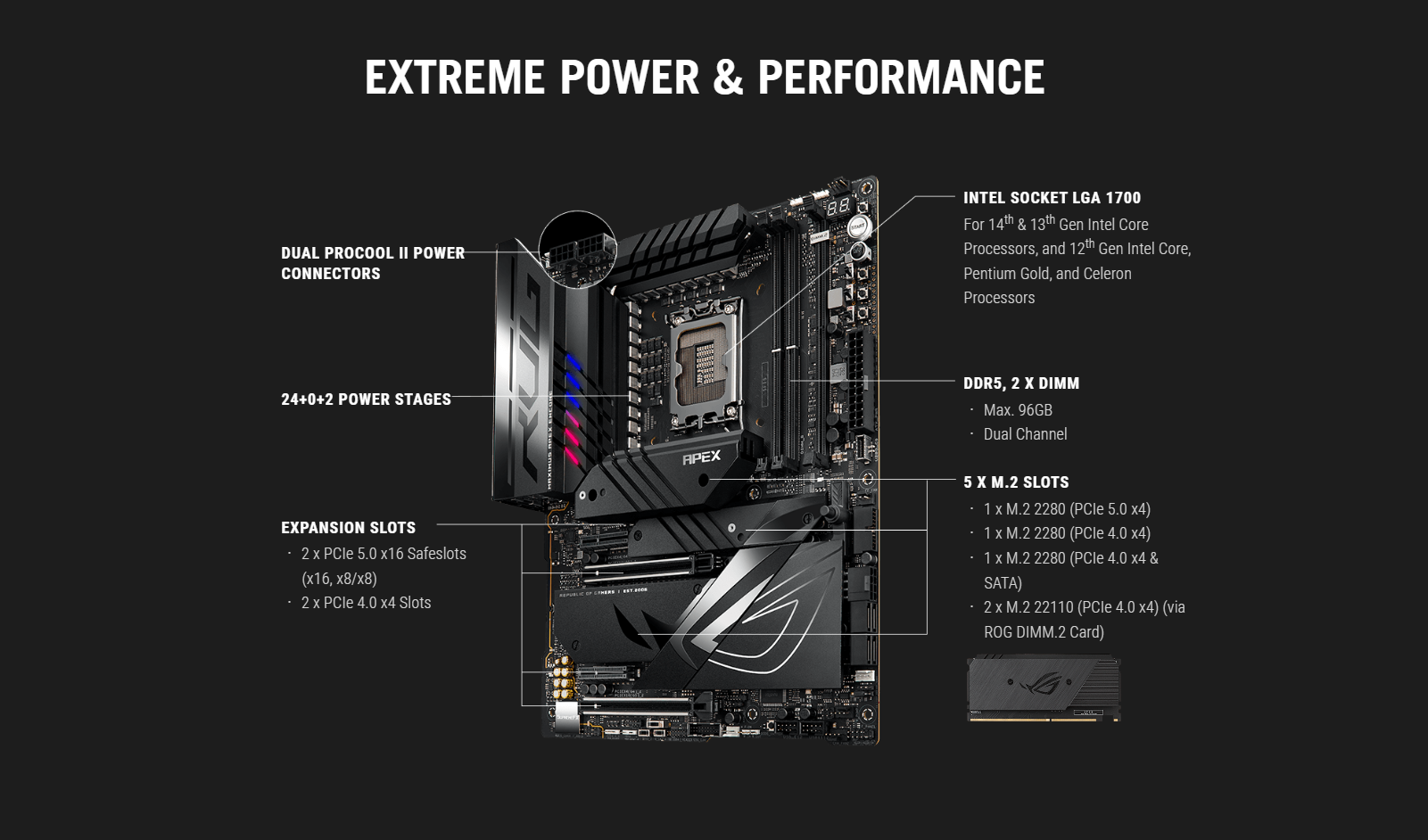
The ROG Maximus Z790 Apex Encore features three onboard M.2 slots, one of which is PCIe 5.0-ready to offer blistering 16 GB/s speeds, while the others offer still-impressive 8 GB/s over PCIe 4.0 interfaces.
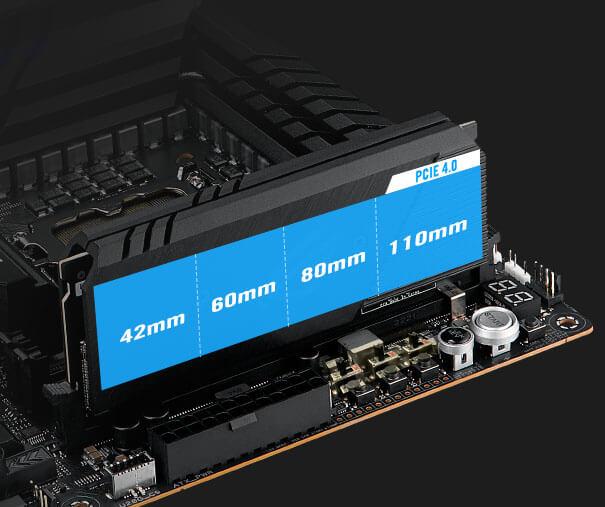
The ROG DIMM.2 card allows you to easily mount two M.2 drives next to the memory slots, where its large heatsinks benefit directly from chassis airflow for prime cooling performance.
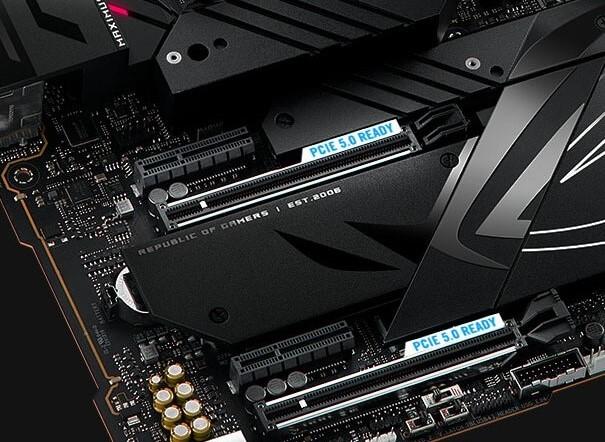
Both of the x16 expansion slots have the PCIe 5.0 treatment to offer incredible speeds up to 64 GB/s for compatible devices. To bear the brunt of massive graphics cards, they are also protected with SafeSlot retention brackets, and the top slot can be released easily thanks to the PCIe Slot Q-Release button.
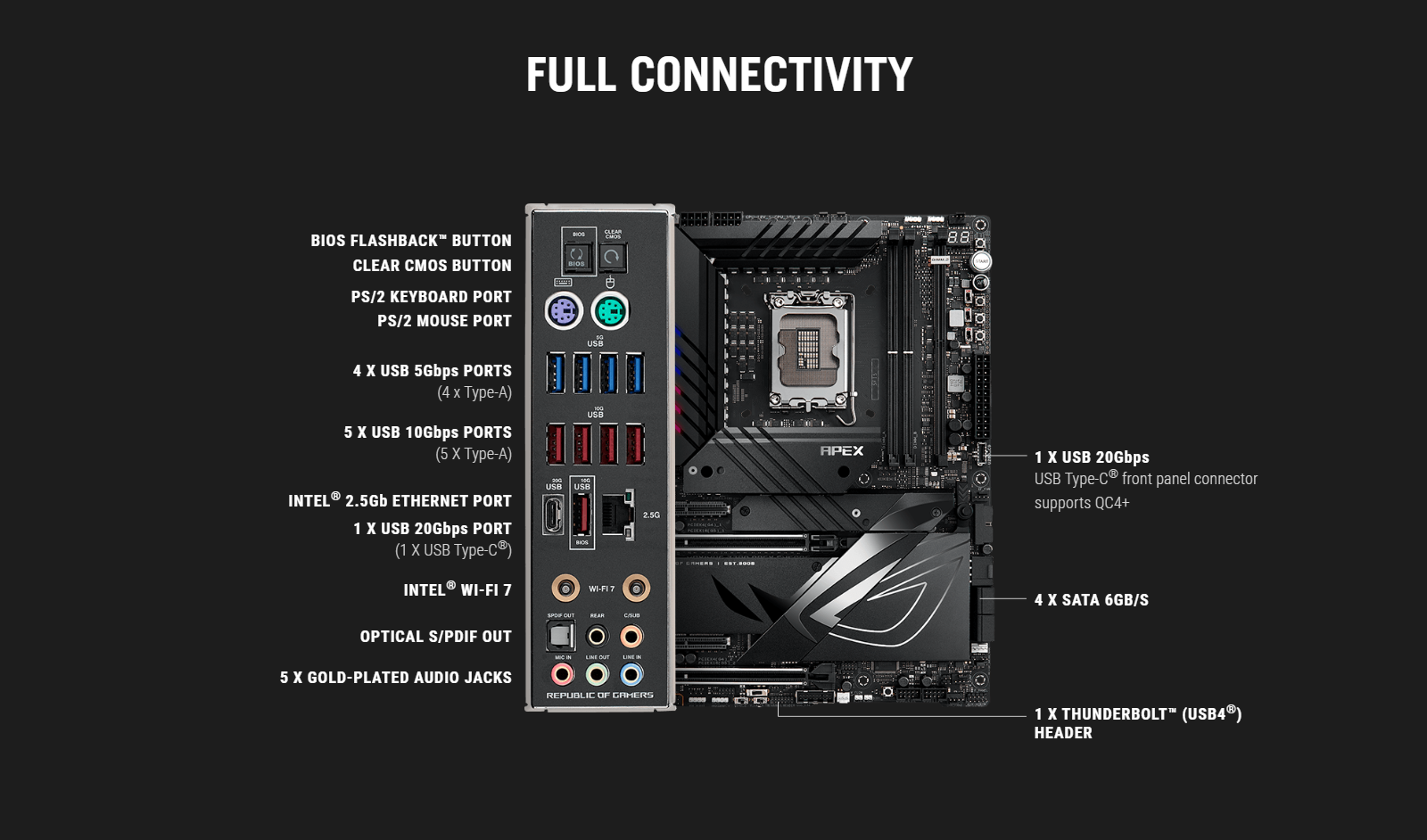
USB 20Gbps TYPE-CROG Maximus Z790 Apex Encore comes loaded with two USB 20Gbps Type-C connectors. One is a port on the rear I/O; the other can be attached to the chassis front panel and it also features Quick Charge 4+ technology to quickly charge devices at up to 60W*. * Requires a PCIe power supply cable to be plugged into the nearby 8-pin connector. |
ROG SupremeFX is a unique blend of hardware and software that provides superior audio. The ROG Maximus Z790 Apex Encore's SupremeFX implementation features the ALC4080 codec with up to 32-bit/384 kHz playback. The front-panel output is streamed through a highly integrated Savitech amplifier that is capable of driving a wide variety of gaming headsets and high-fidelity headphones.
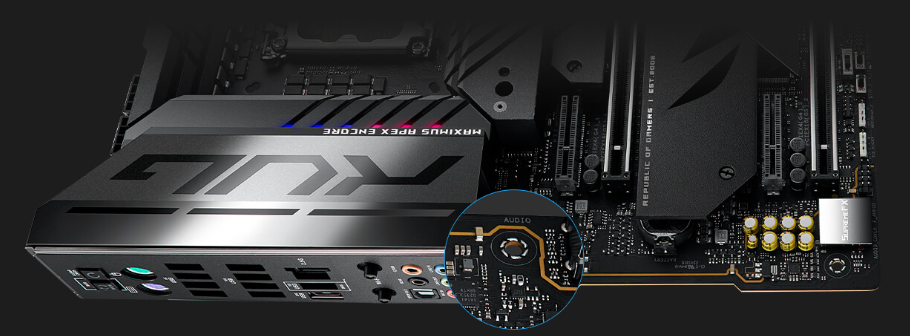
Blocks electromagnetic interference from the motherboard or add-ons to provide cleaner audio.
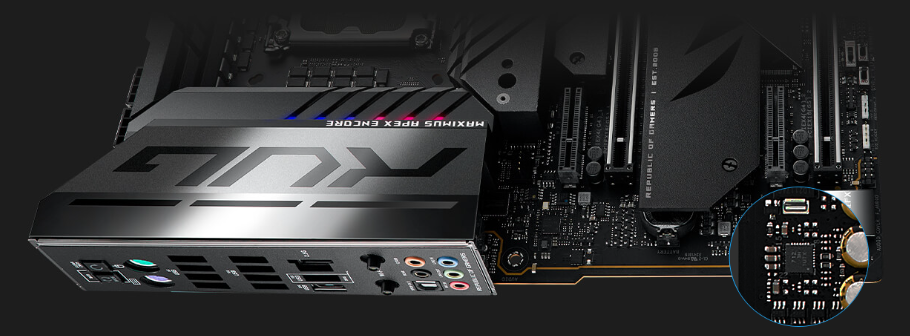
The integrated Hi-Fi Savitech amplifier holds up its end of the signal path with -89dB THD+N and a signal-to-noise ratio of 114dB, bringing pristine audio to gaming headsets and premium cans.
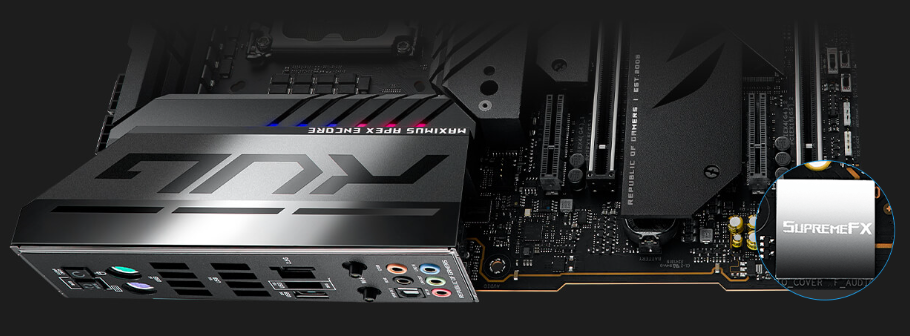
Instead of the conventional high-definition audio (HDA) interface, the ALC4080 codec uses a USB interface to deliver studio-level sound reaching up to 32-bit 384 kHz audio resolution.
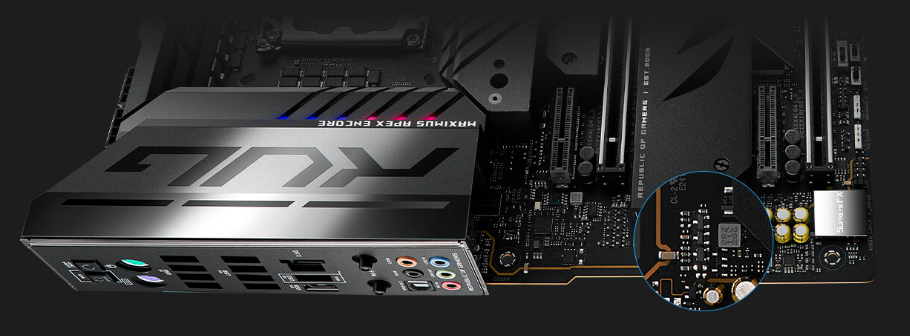
Unique design allows the codec's impedance-sensing function to be ported with either the front or rear headphone outputs.
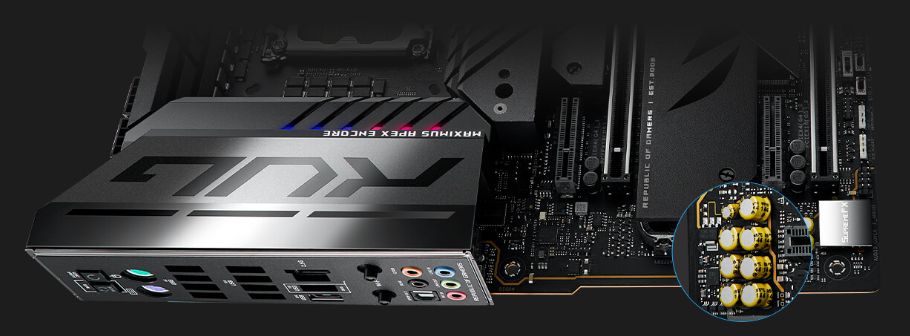
Fine-quality components that produce a warmer, natural sound with exceptional clarity and fidelity.
A physical button unlocks the first PCIe slot’s security latch with one tap, greatly simplifying the process of detaching a PCIe card from the motherboard when it’s time to upgrade to a new GPU or other compatible device.
The innovative Q-Latch makes it easy to install or remove an M.2 SSD without the need for specific tools. The design employs a simple locking mechanism to secure the drive and neatly eliminate traditional screws.
With Q-Antenna, attaching a WiFi antenna to your PC is now easy and fast. Instead of slowly rotating two fasteners until they finally lock in, they just snap into place. Less hassle, and more consistent performance.
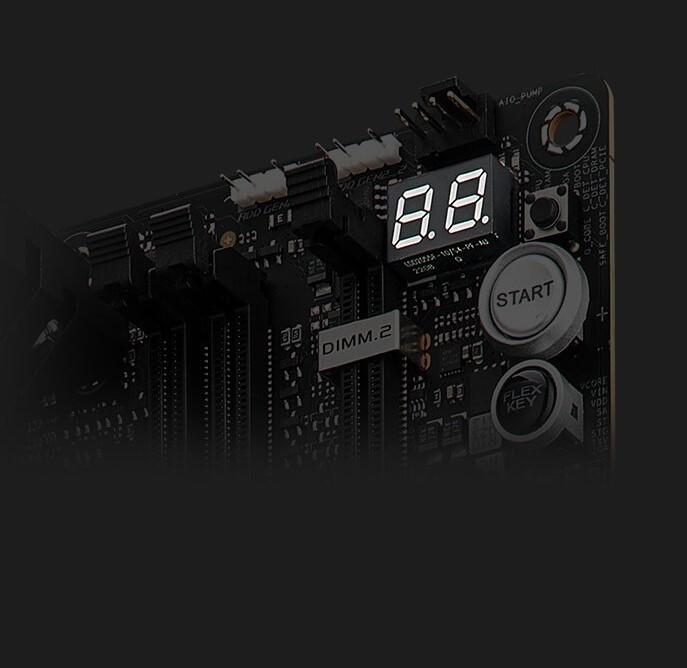
The on-board LED panel shows 2-digit diagnostic codes, providing a valuable reference for troubleshooting common boot problems and hardware issues.
The on-board Q-LED troubleshooting lights give PC builders a quick indicator to confirm that key components ― CPU, RAM, graphics card, storage devices ― are functioning normally during startup. Builders can use the Q-LED feature to correct power delivery issues affecting their motherboard, and it can also alert them when memory modules have not been properly installed--even before attempting to boot a newly built PC.
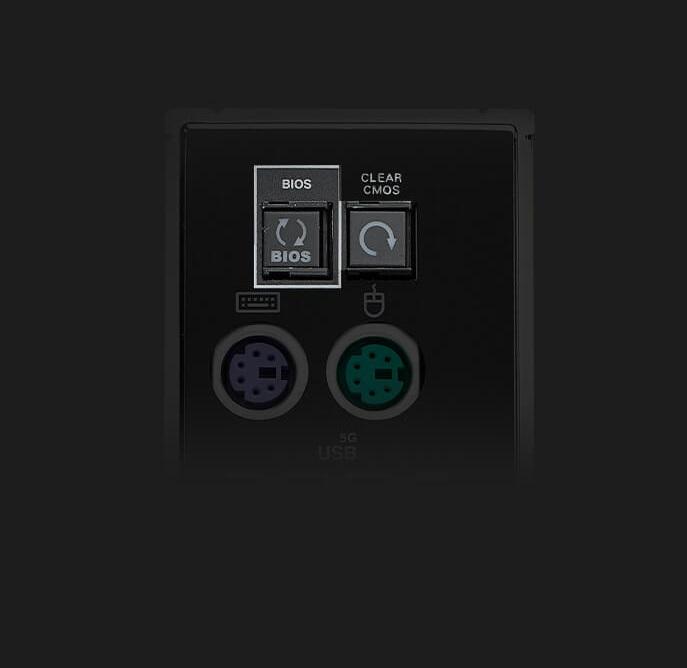
BIOS FlashBack is a safe and simple way to update BIOS. Just drop the (UEFI) BIOS file onto a FAT32-formatted USB stick, plug it into the USB BIOS FlashBack port, and press the button. Updates can even be performed without having memory or a CPU installed.
The Clear CMOS button quickly resets BIOS settings to factory default. It can also be used to reboot the PC if incorrect BIOS settings have been selected.
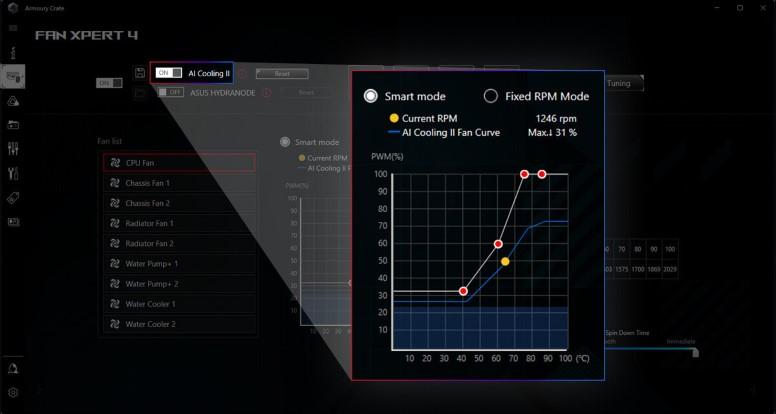
Balance the thermals and acoustics of any build with a single click. A proprietary ASUS algorithm slashes unnecessary noise while running a quick stress test, and then monitors CPU temperatures to dynamically adjust fans to optimal speeds.
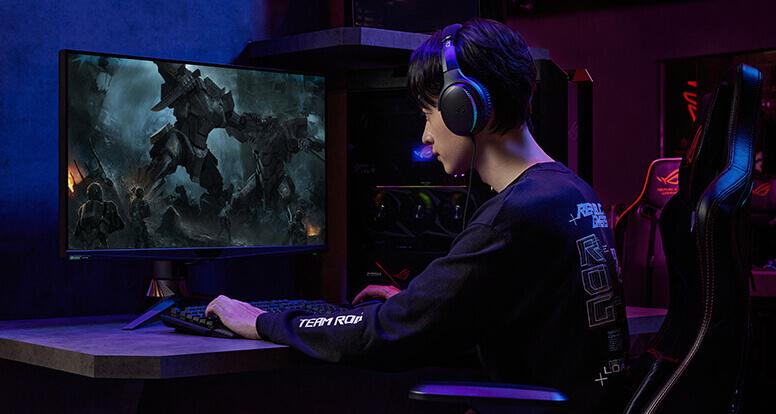
This utility leverages a massive deep-learning database to reduce over 5 million types of background noise from incoming or outgoing audio, helping ensure crystal-clear communication in games or calls.
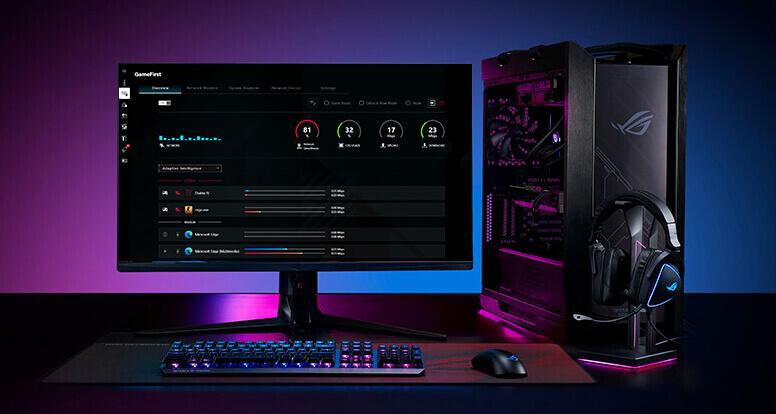
GameFirst is now integrated into Armoury Crate for an even better user experience. GameFirst optimizes networking performance by allocating bandwidth in real time, based on intelligent algorithms designed for various application customizable usage scenarios and corresponding learning algorithms. The latest update includes dedicated support for NVIDIA GeForce NOW to ensure the lowest latency possible during intense game streaming cloud gaming sessions. To provide a better user’s experience, GameFirst is now integrated into Armoury Crate.
The AI Suite 3 dashboard contains a set of intuitive controls that boost CPU performance while maintaining system stability.
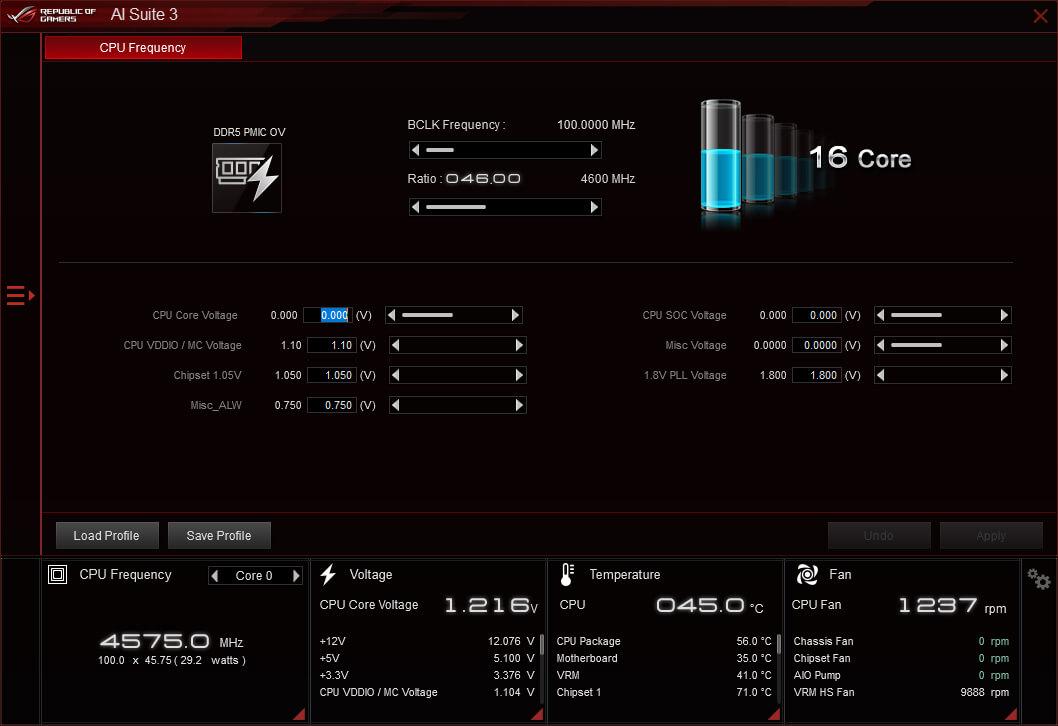
The TurboV Processing Unit (TPU) is an intelligent onboard micro-controller that provides an array of system-tuning features, including the ability to fine-tune voltages, monitor system stats and adjust overclocking parameters.
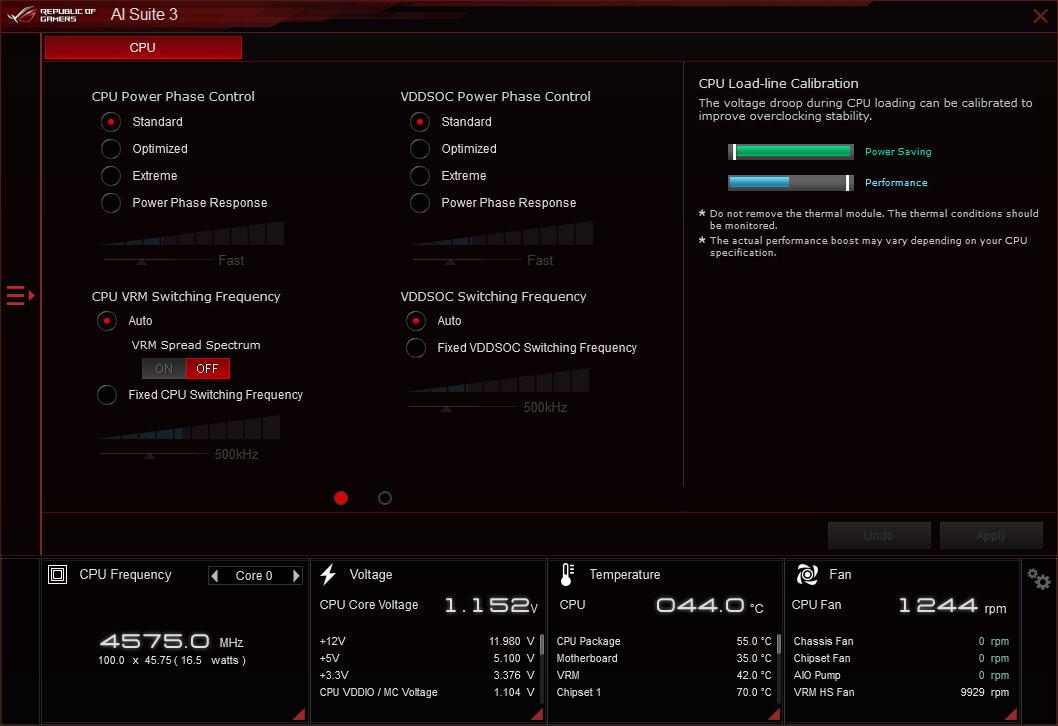
The Digi+ voltage-regulator module (VRM) delivers real-time control over voltage droop, switching frequency, and power-efficiency settings, allowing you to fine-tune CPU voltage regulation for ultimate stability and performance.
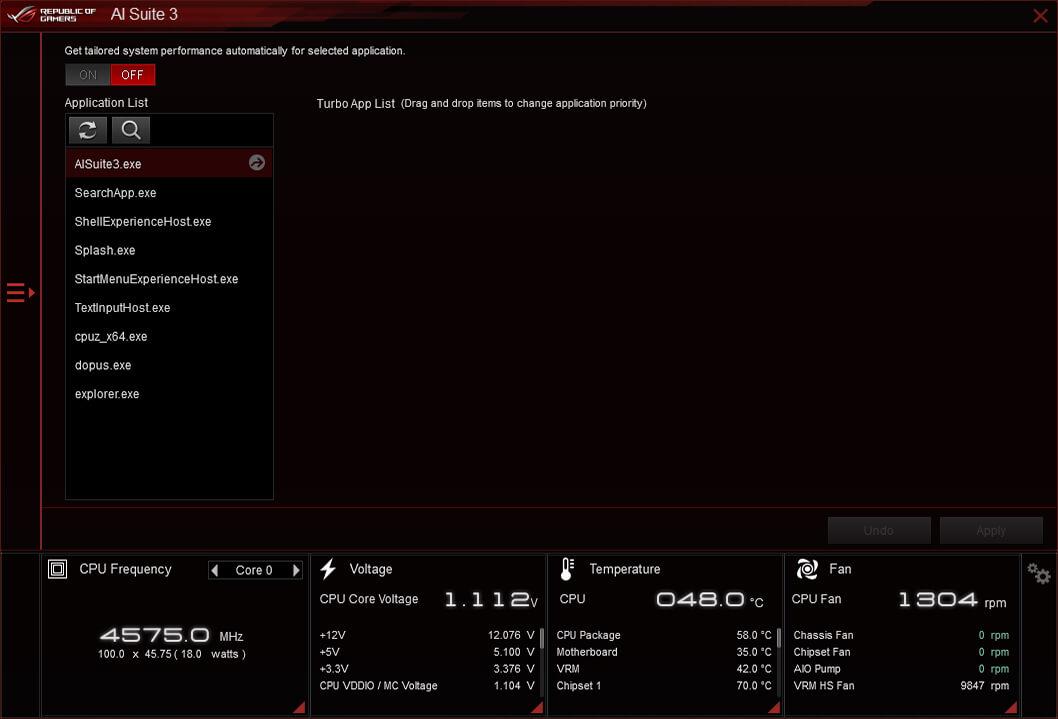
Modern processors feature per-core tuning, and the ASUS Turbo app makes use of this feature by letting you assign applications to specific processor cores, prioritizing computing power where it's needed most.
The renowned ROG UEFI (BIOS) provides everything you need to configure, tweak, and tune your rig. It offers intelligently simplified options for newcomers to PC DIY, as well as more comprehensive features for seasoned veterans.
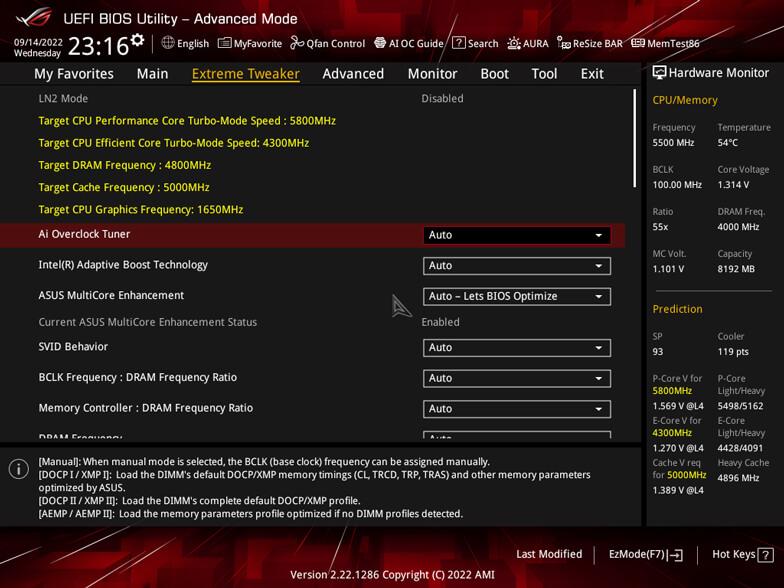
Quickly locate tuning options and add preferred tools to your favorites list.
Flash the latest BIOS via the internet from within the BIOS.
Check your storage device Self-Monitoring, Analysis, and Reporting Technology (S.M.A.R.T.) logs to gauge reliability or to identify potential failures.
Automatically detect selected ASUS graphics cards to view detailed information.
Restore your SSDs and NVMe storage to factory settings.
Track the last change and save preferred profiles to a USB drive.
Rename SATA ports for easy identification.
Port configuration settings between different BIOS versions or share them with friends.
Configure the fan's operating speed manually or use pre-configured Standard, Silent, Turbo, or Full Speed modes. By default, system fans will automatically switch to full speed if the temperature reaches 75° C.
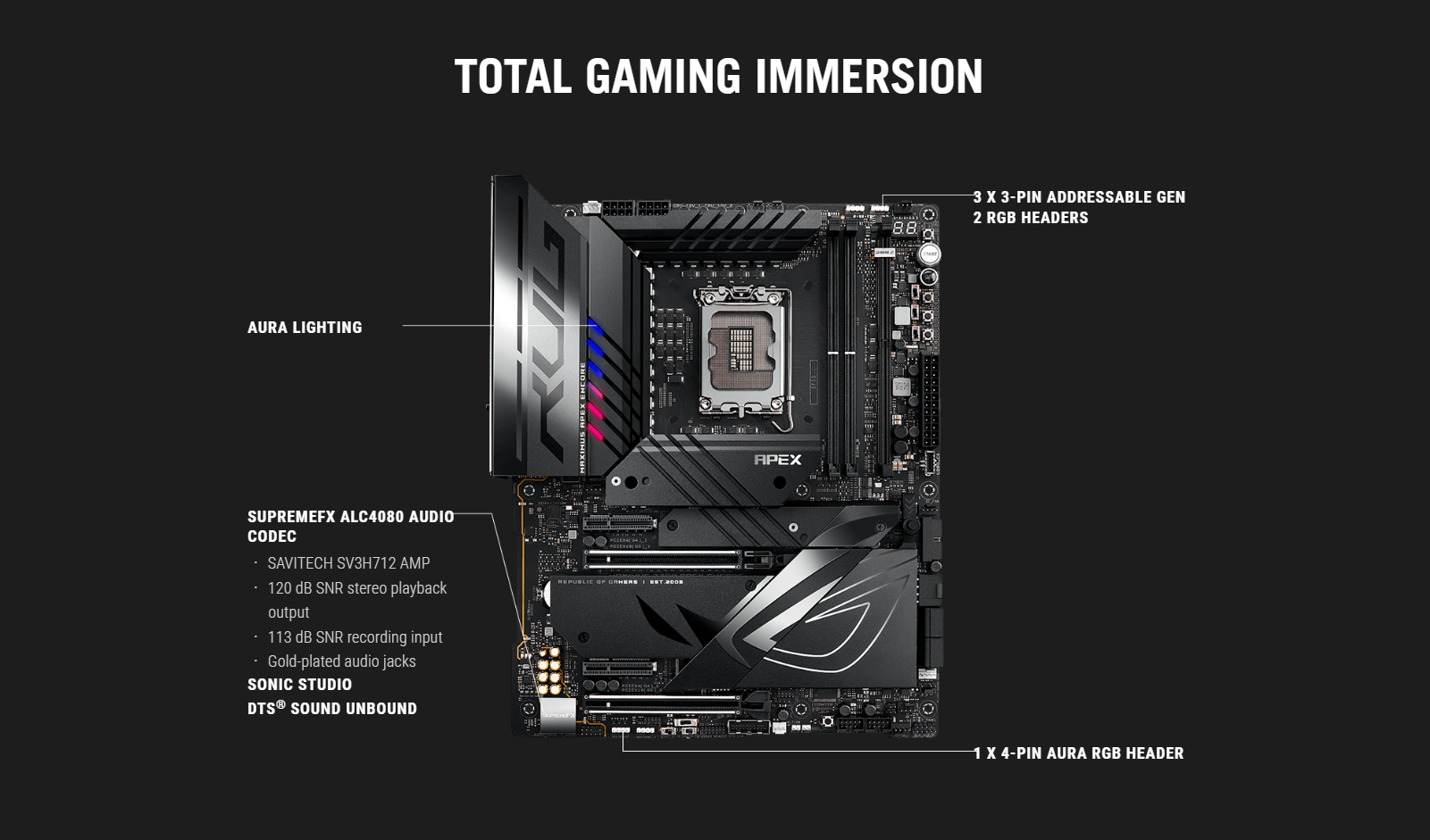
Easily enable or disable Aura RGB lighting or every onboard LED, for a more subdued aesthetic.
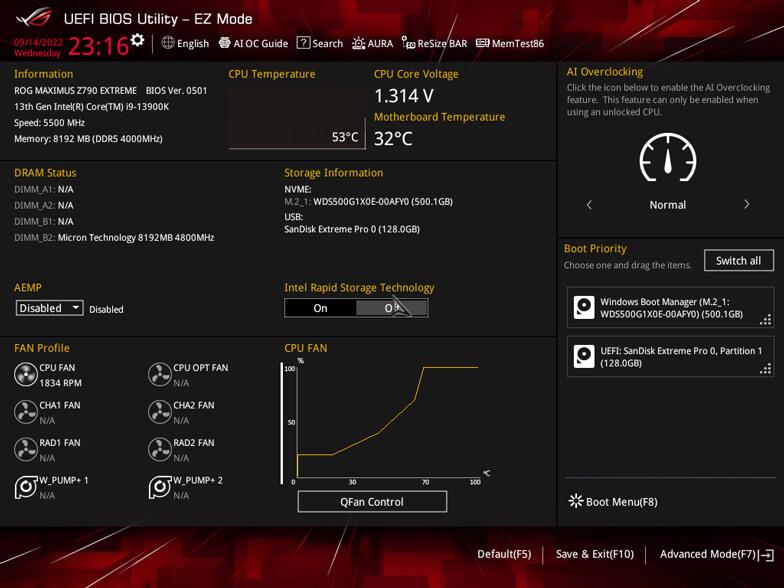
Intuitive Graphical Fan Controls
Fine-tune individual fans simply by dragging a curve with the mouse.
Storage Information
View SATA port details for easy device recognition.
Clock Adjustment
Click on the settings icon to quickly change time and date settings.
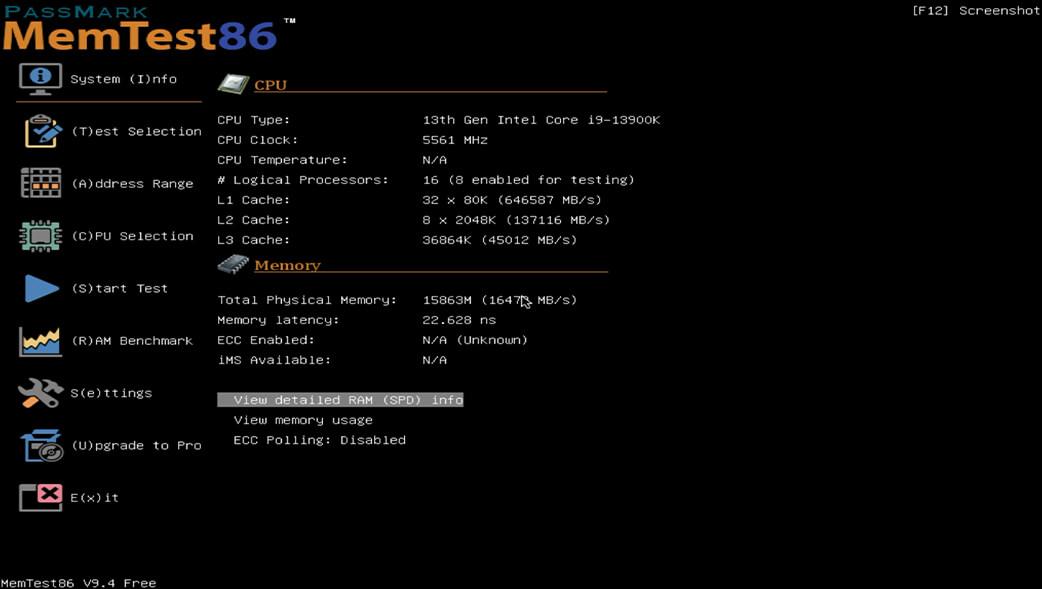
For diagnostic convenience, MemTest86 has been pre-installed into the ROG UEFI. Run the test to pinpoint memory issues without the need to start up the OS or attach a USB drive. Memory test results are stored in the BIOS archives for later reference.

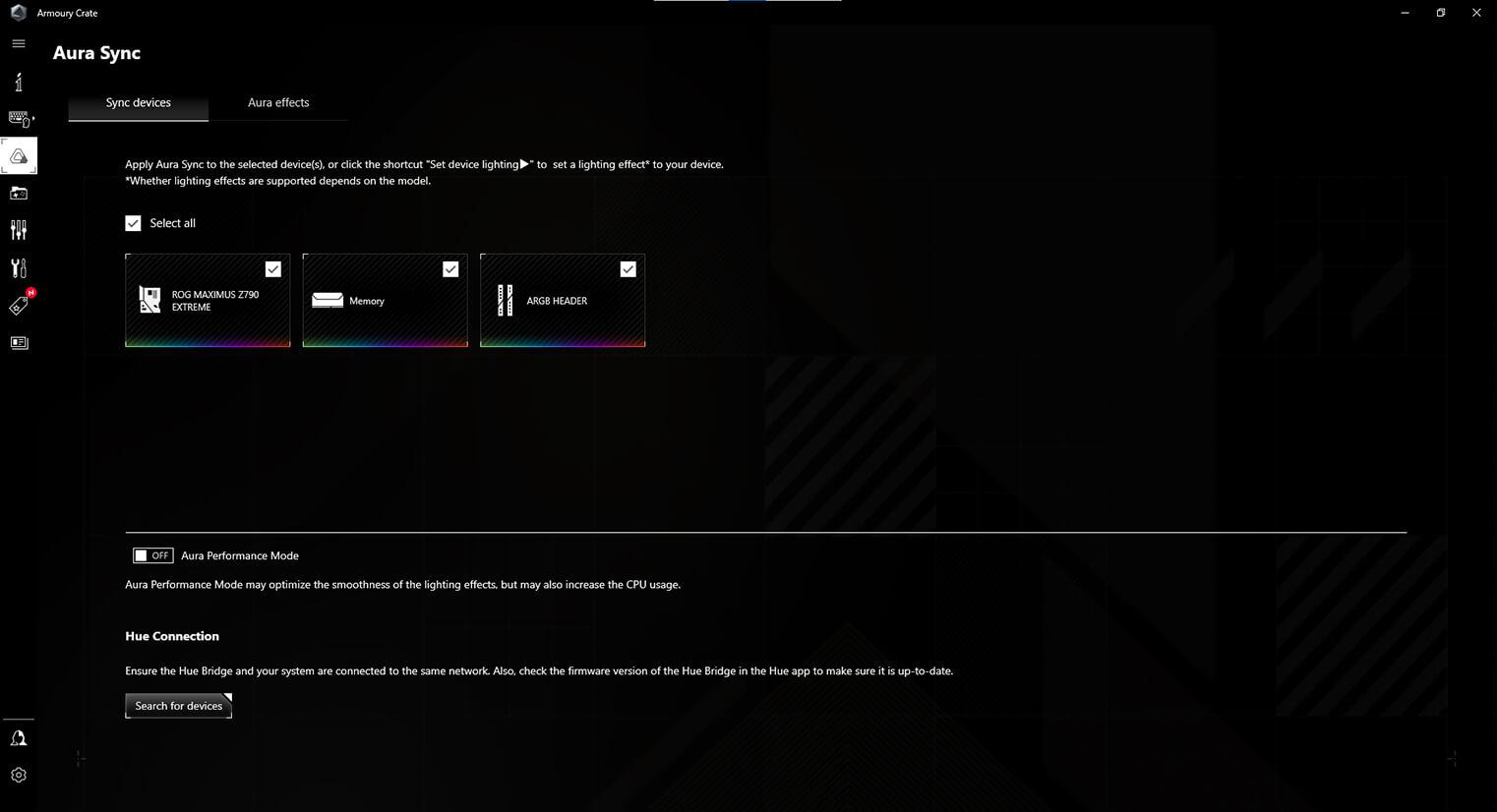
Armoury Crate is a software utility designed to give you centralized control of supported gaming products, making it easy to tune the look and feel of your system. From a single intuitive interface, Armoury Crate helps you customize RGB lighting and effects for compatible devices and synchronize them with Aura Sync to create a unified lighting scheme across your system. In addition, Armoury Crate’s Fan Xpert4 tool provides comprehensive control over fans, water pumps, and all-in-one (AIO) coolers.
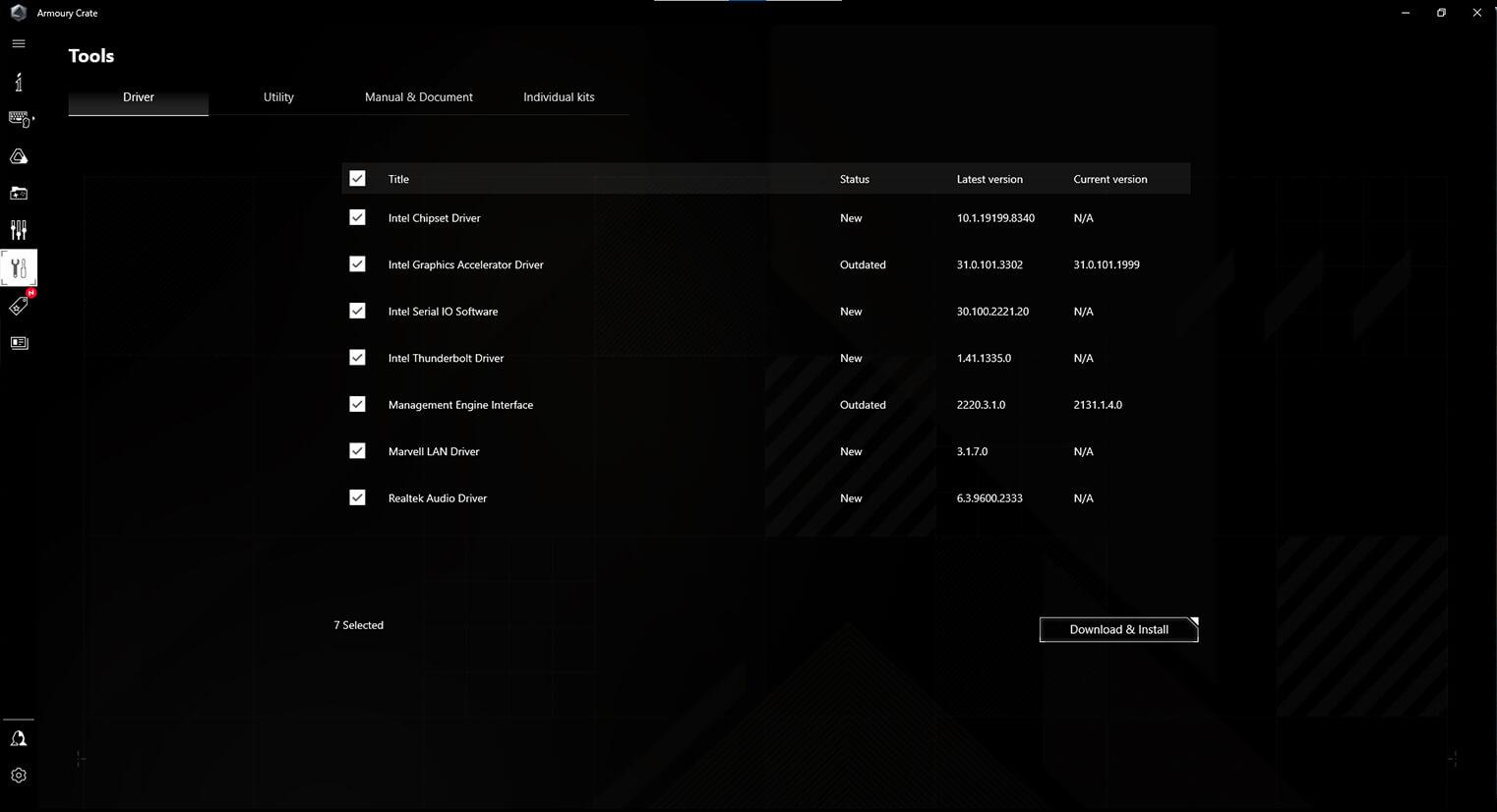
You can use Armoury Crate to download drivers, tools, and user manuals, and to register products. It also taps into a special news feed that connects you to the global ASUS gaming community.
*Windows 10 or 11 required for full Aura Sync functionality within Armoury Crate. For Windows 8 and earlier versions, standalone Aura Sync software is available for free download from the product support site.
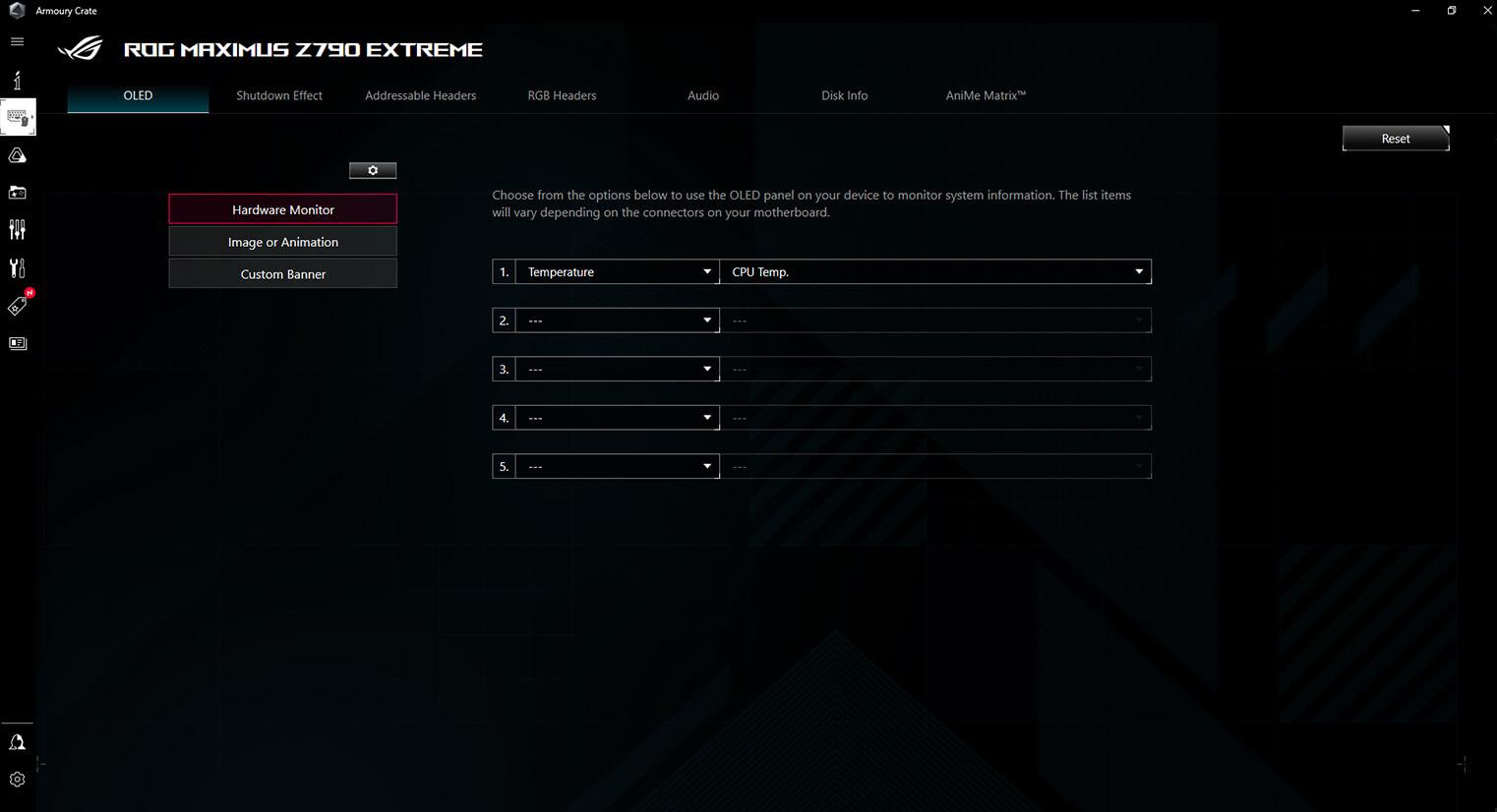
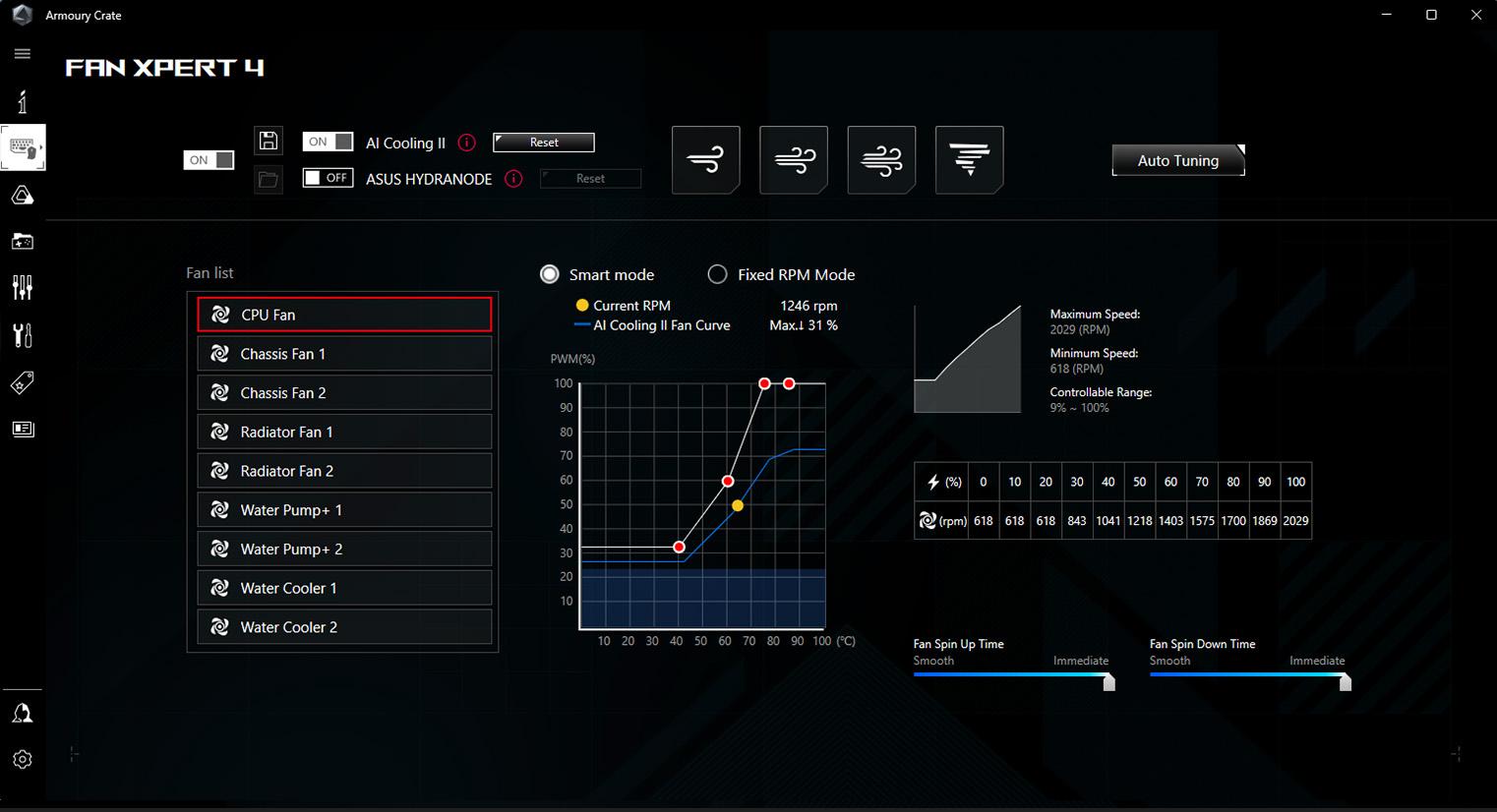
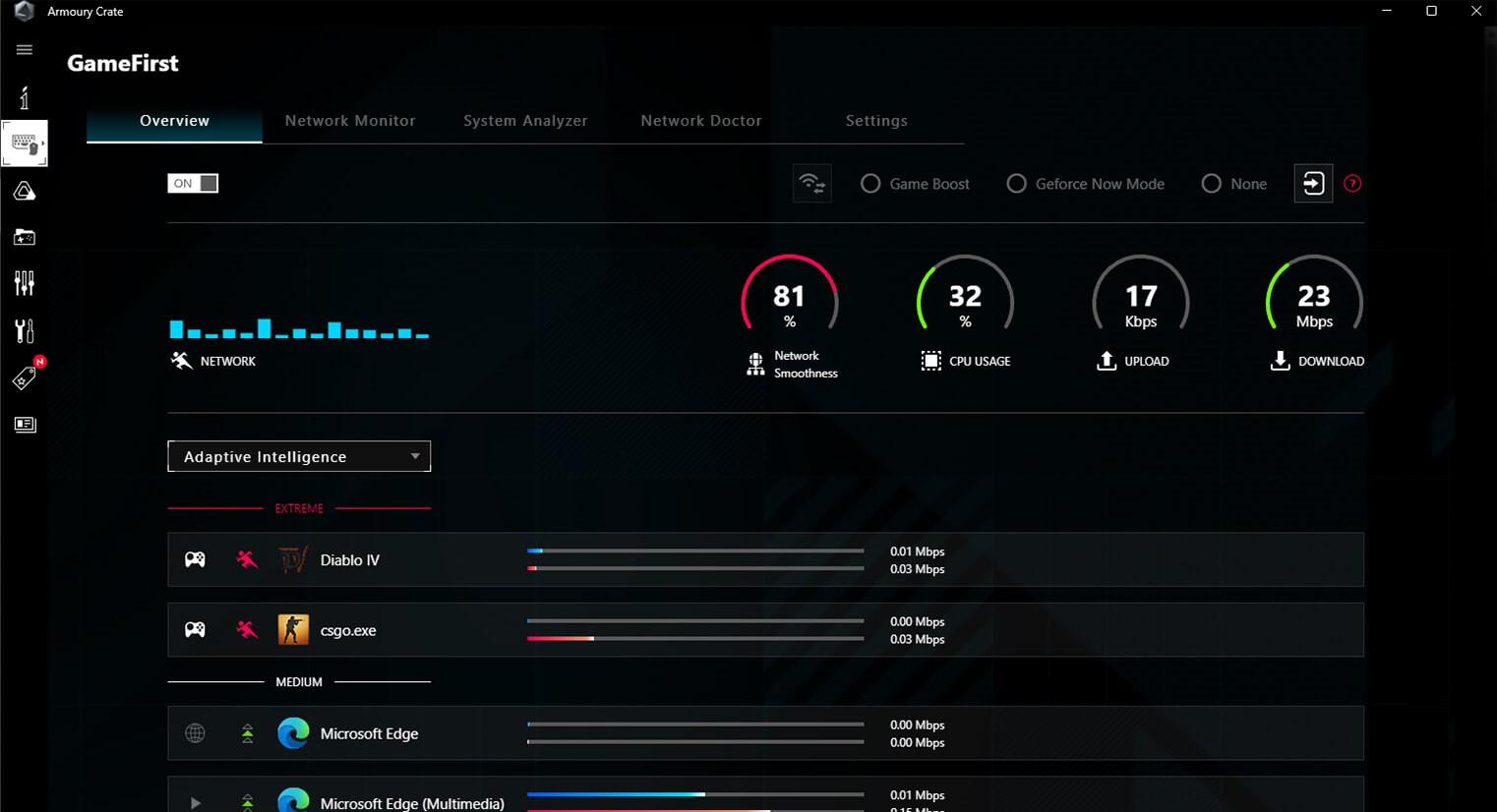
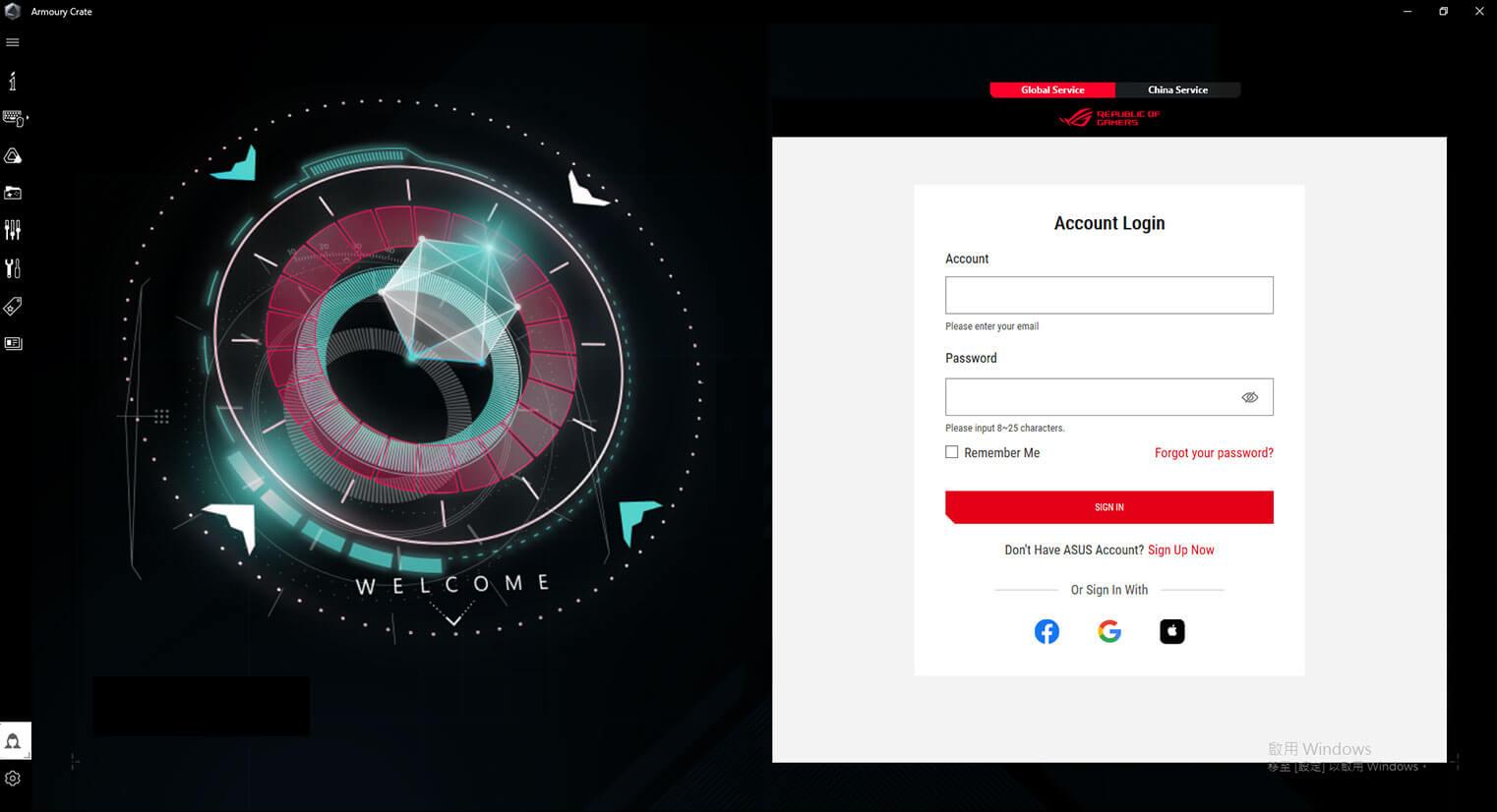
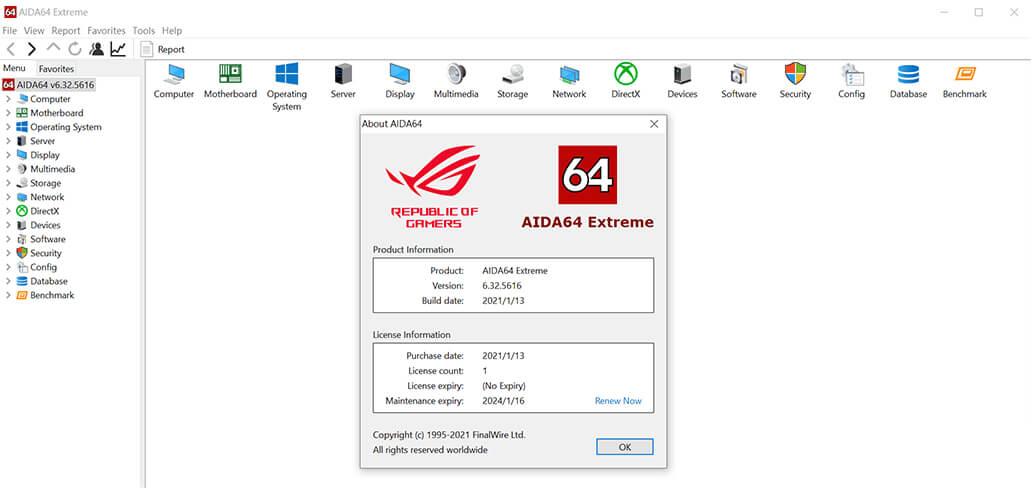
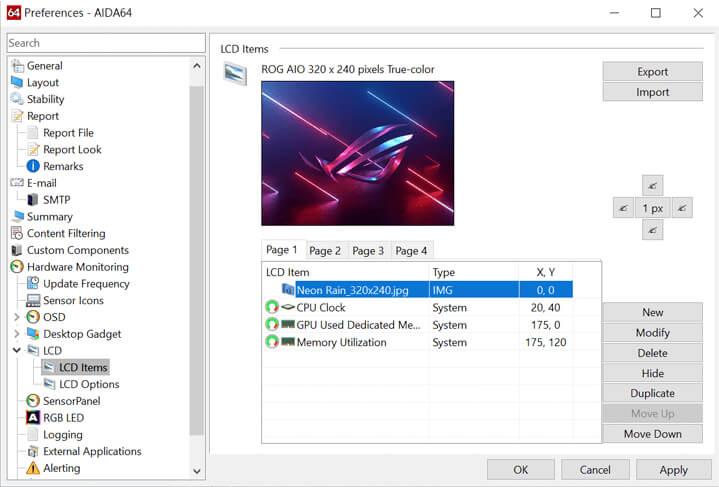
The ROG Maximus Z790 Apex Encore includes a one-year AIDA64 Extreme subscription, a tool that provides detailed information about hardware and software, as well as benchmarks to measure the performance of the entire system or individual components. AIDA64 Extreme includes a monitoring and diagnostics feature to detect and prevent hardware issues. All vital system sensors can be tracked in real time, allowing voltage readings, fan speeds, and temperature information to be displayed on the desktop or sent to dedicated displays or to the LCD panels of ROG AIO liquid coolers*.
*Support available for ROG Ryujin II and later models.
| CPU | Intel Socket LGA1700 for Intel Core 14th & 13th Gen Processors, Intel Core 12th Gen, Pentium Gold and Celeron Processors Supports Intel Turbo Boost Technology 2.0 and Intel Turbo Boost Max Technology 3.0** * Refer to www.asus.com for CPU support list. ** Intel Turbo Boost Max Technology 3.0 support depends on the CPU types. |
| Chipset | Intel Z790 Chipset |
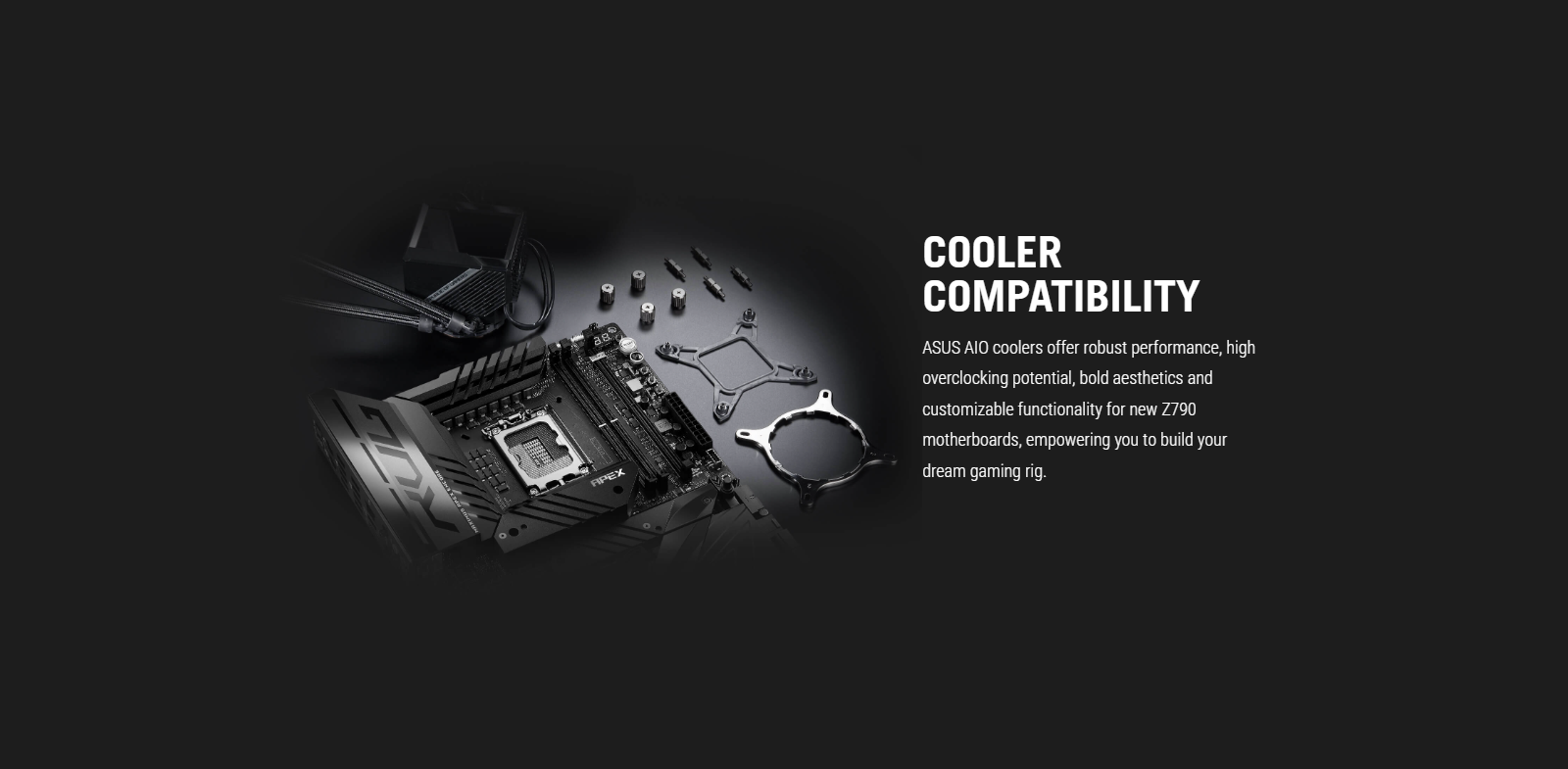
| Memory | 2 x DIMM, Max. 96GB, DDR5 8400+(OC)/8200+(OC)/8000+(OC)/7800(OC)/7600(OC)/7400(OC)/7200(OC)/7000(OC)/6800(OC)/6600(OC)/6400(OC)/6200(OC)/ 6000(OC)/ 5800(OC)/ 5600/ 5400/ 5200/ 5000/ 4800 MT/s Non-ECC, Un-buffered Memory* Dual Channel Memory Architecture Supports Intel Extreme Memory Profile (XMP) ASUS Enhanced Memory Profile II (AEMP II) Supports DIMM Flex * Supported memory types, data rate (speed), and number of DRAM modules vary depending on the CPU and memory configuration, for more information please refer to CPU/Memory Support list under the Support tab of product information site or visit https://www.asus.com/support/. - Non-ECC, un-buffered DDR5 memory supports On-Die ECC function. - For optimal memory overclocking results, please ensure to install the bundled ROG Memory Fan Kit. |
| Expansion Slots | Intel CoreTM Processors (14th & 13th & 12th Gen)* 2 x PCIe 5.0 x16 slots (supports x16 or x8/x8 modes)** Intel Z790 Chipset 2 x PCIe 4.0 x4 slot * Please check the PCIe bifurcation table on the support site (https://www.asus.com/support/FAQ/1037507/). ** M.2_1 shares bandwidth with PCIEX16(G5)_2 and PCIEX16(G5)_1. When M.2_1 is occupied with SSD device, PCIEX16(G5)_2 will be disabled and PCIEX16(G5)_1 will run x8 only. - To ensure compatibility of the device installed, please refer to https://www.asus.com/support/ for the list of supported peripherals |
| Storage |
Total supports 5 x M.2 slots and 4 x SATA 6Gb/s ports* Intel CoreTM Processors (14th & 13th & 12th Gen) M.2_1 slot (Key M), type 2242/2260/2280 (supports PCIe 5.0 x4 mode)** M.2_2 slot (Key M), type 2242/2260/2280 (supports PCIe 4.0 x4 mode) Intel Z790 Chipset M.2_3 slot (Key M), type 2242/2260/2280 (supports PCIe 4.0 x4 & SATA modes) DIMM.2_1 slot (Key M) via ROG DIMM.2, type 2242/2260/2280/22110 (supports PCIe 4.0 x4 mode) DIMM.2_2 slot (Key M) via ROG DIMM.2, type 2242/2260/2280/22110 (supports PCIe 4.0 x4 mode) 4 x SATA 6Gb/s ports** * Intel Rapid Storage Technology supports PCIe RAID 0/1/5/10, SATA RAID 0/1/5/10 * M.2_1 shares bandwidth with PCIEX16(G5)_2 and PCIEX16(G5)_1. When M.2_1 is occupied with SSD device, PCIEX16(G5)_2 will be disabled and PCIEX16(G5)_1 will run x8 only. |
| Ethernet | 1 x Intel 2.5Gb Ethernet ASUS LANGuard |
| Wireless & Bluetooth | Intel Wi-Fi 7* 2x2 Wi-Fi 7 (802.11be)** Supports 2.4/5/6GHz frequency band*** Support Wi-Fi 7 320MHz bandwidth, up to 5.8Gbps transfer rate. Bluetooth v5.4**** * Compatible with Windows 11 or later. ** Wi-Fi 7 MLO(Multi-link Operation) full functions support will be ready in Windows 11 2024 Platform (Windows 11 24H2) or later. *** Wi-Fi 6GHz frequency band and bandwidth regulatory may vary between countries. **** The Bluetooth version may vary, please refer to the Wi-Fi module manufacturer's website for the latest specifications. |
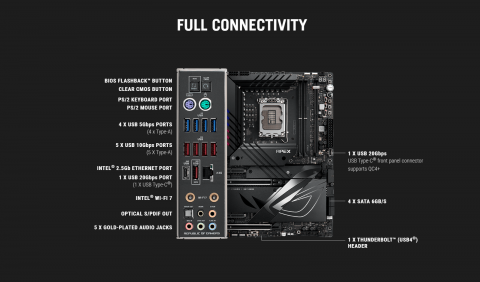
| USB | Rear USB (Total 10 ports) 1 x USB 20Gbps port (1 x USB Type-C)* 5 x USB 10Gbps ports (5 x Type-A) 4 x USB 5Gbps ports (4 x Type-A) Front USB (Total 9 ports) 1 x USB 20Gbps connector (supports USB Type-C with up to 60W PD/QC4+)** 2 x USB 5Gbps headers support additional 4 USB 5Gbps ports 2 x USB 2.0 headers support additional 4 USB 2.0 ports * USB Type-C power delivery output: max. 5V/3A ** USB Type-C power delivery output: 5/9/15/20V max. 3A, PPS:3.3–21V max. 3A |
| Audio | ROG SupremeFX 7.1 Surround Sound High Definition Audio CODEC ALC4080 - Impedance sense for front and rear headphone outputs - Supports: Jack-detection, Multi-streaming, Front Panel Jack-retasking - High quality 120 dB SNR stereo playback output and 110 dB SNR recording input - Supports up to 32-Bit/384 kHz playback" Audio Features - SupremeFX Shielding Technology - Savitech SV3H712 AMP - Gold-plated audio jacks - Rear optical S/PDIF out port - Premium audio capacitors - Audio cover * The LINE OUT port on the rear panel does not support spatial audio. If you wish to use spatial audio, make sure to connect your audio output device to the audio jack on the front panel of your chassis or use a USB interface audio device. |
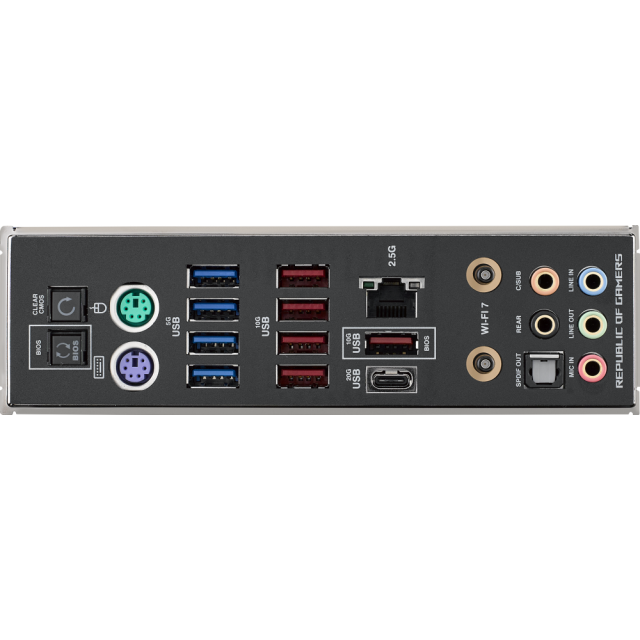
| Back Panel I/O Ports | 1 x USB 20Gbps port (1 x USB Type-C) 5 x USB 10Gbps ports (5 x Type-A) 4 x USB 5Gbps ports (4 x Type-A) 1 x Wi-Fi Module 1 x Intel 2.5Gb Ethernet port 5 x Gold-plated audio jacks 1 x Optical S/PDIF out port 1 x BIOS FlashBack button 1 x Clear CMOS button 1 x PS/2 Keyboard (purple) port 1 x PS/2 Mouse (green) port |
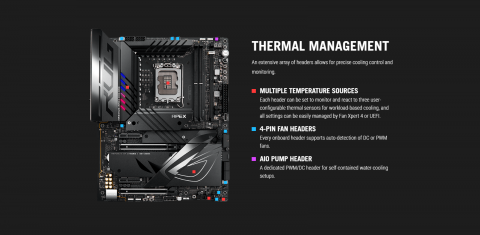
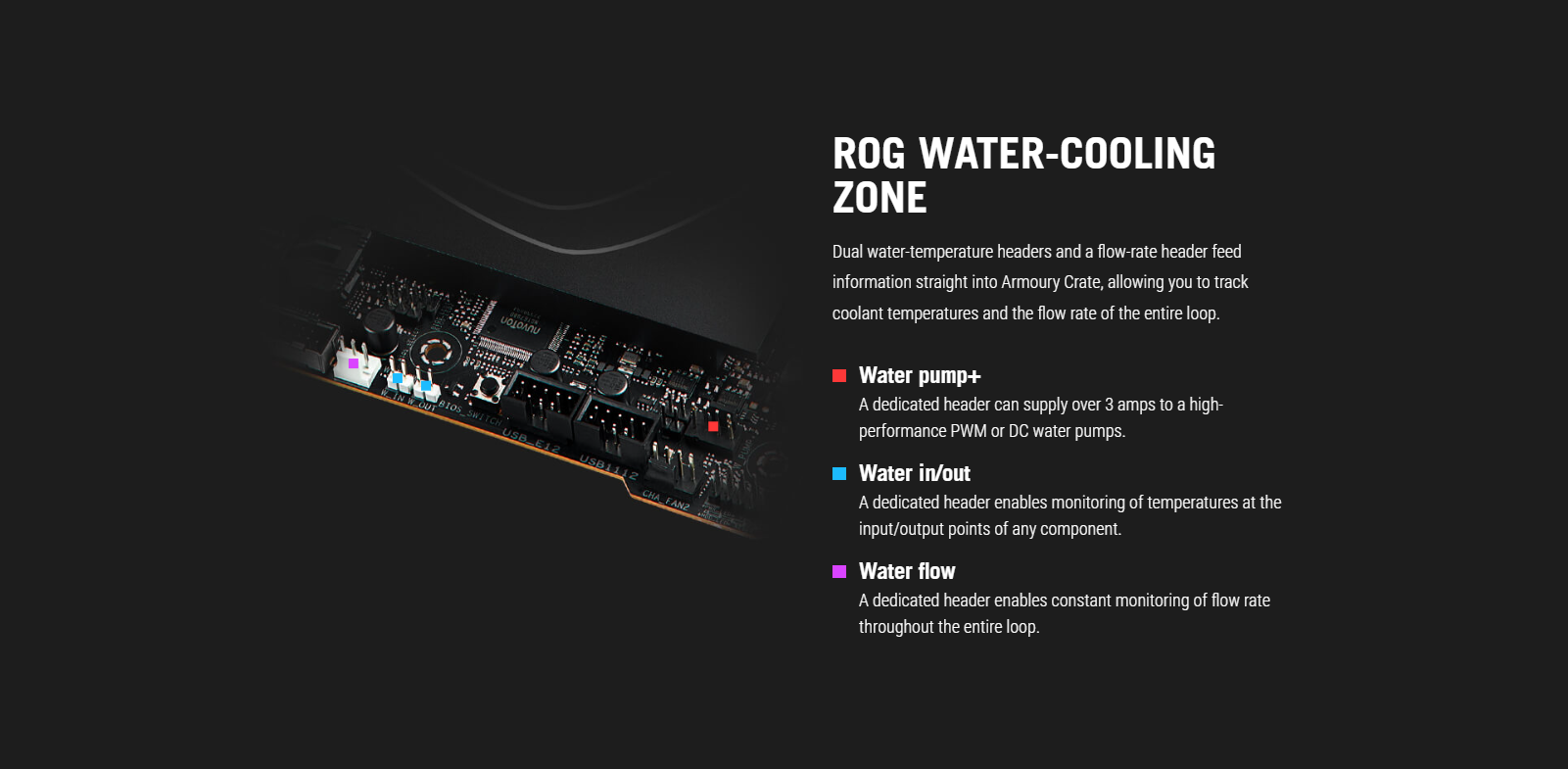
| Internal I/O Connectors | Fan and Cooling related 1 x 4-pin CPU Fan header 1 x 4-pin CPU OPT Fan header 1 x 4-pin AIO Pump header 2 x 4-pin Chassis Fan headers 2 x 4-pin Full Speed Fan headers 1 x W_PUMP+ header 1 x 2-pin Water In header 1 x 2-pin Water Out header 1 x 3-pin Water Flow header 1 x Extra Flow Fan header Power related 1 x 24-pin Main Power connector 2 x 8-pin +12V Power connector 1 x 8-pin PCIe Power connector Storage related 3 x M.2 slots (Key M) 1 x DIMM.2 slot supports 2 x M.2 slots (Key M) 4 x SATA 6Gb/s ports USB 1 x USB 20Gbps connector (supports USB Type-C) 2 x USB 5Gbps headers support additional 4 USB 5Gbps ports 2 x USB 2.0 headers support additional 4 USB 2.0 ports Miscellaneous 1 x 80 Light Bar jumper 3 x Addressable Gen 2 headers 1 x Alternative PCIe Mode Switch 1 x Aura RGB header 2 x BCLK button 1 x BIOS Switch button 1 x FlexKey button 1 x Front Panel Audio header (F_AUDIO) 1 x LN2 Mode jumper 1 x Osc sence header 1 x Pause switch 12 x ProbeIt Measurement Points 1 x ReTry button 2 x RSVD switches 1 x RSVD header 1 x Safe Boot button 1 x Slow Mode switch 1 x Start button 1 x 10⁻¹ pin System Panel header 1 x Thermal Sensor header 1 x Thunderbolt (USB4) header 1 x V_Latch switch |
| Special Features | Extreme OC Kit - FlexKey button - LN2 Mode - ProbeIt - ReTry button - Safe boot button - Start button - Slow Mode Extreme Engine Digi+ - SMD Capacitor - MicroFine Alloy Choke ASUS Q-Design - M.2 Q-Latch - PCIe Slot Q-Release - Q-Antenna - Q-Code - Q-Connector - Q-DIMM - Q-LED (CPU [red], DRAM [yellow], VGA [white], Boot Device [yellow green]) - Q-Slot ASUS Thermal Solution - M.2 heatsink backplate - M.2 heatsink - VRM heatsink design ASUS EZ DIY - BIOS FlashBack button - Clear CMOS button - CPU Socket lever protector - ProCool II - Pre-mounted I/O shield - SafeSlot - SafeDIMM Aura Sync - Aura RGB header - Addressable Gen 2 headers Dual BIOS Front Panel USB 20Gbps with Quick Charge 4+ Support - Support: up to 60W fast charging and USB Wattage Watcher* - Output: 5/9/15/20V max. 3A, PPS:3.3–21V max. 3A - Compatible with PD3.0 and PPS * To support 60W, please install the power cable to the 8-pin PCIe power connector or else only 27W will be supported. |
| Software Features | ROG Exclusive Software - ROG CPU-Z - DTS Sound Unbound - Internet Security (1-year full version) ASUS Exclusive Software Armoury Crate - AIDA64 Extreme (1 year full version) - Aura Creator - Aura Sync - Fan Xpert 4 (with AI Cooling II) - GameFirst - Power Saving - Sonic Studio - Two-Way AI Noise Cancelation AI Suite 3 - Easy Optimization with AI Overclocking - TPU - DIGI+ Power Control - Turbo app - PC Cleaner MyAsus USB Wattage Watcher Intel Unison WinRAR (40 Days Free Trial) UEFI BIOS AI Overclocking Guide ASUS EZ DIY - ASUS CrashFree BIOS 3 - ASUS EZ Flash 3 - ASUS UEFI BIOS EZ Mode - ASUS MyHotkey MemTest86 |
| BIOS | 2 x 256 Mb Flash ROM, UEFI AMI BIOS |
| Manageability | WOL by PME, PXE |
| Accessories | ROG DIMM.2 with Heatsink 1 x ROG DIMM.2 with heatsink 1 x M.2 pad for ROG DIMM.2 2 x M.2 screw package for ROG DIMM.2 Additional Cooling Kit 1 x Thermal pad for M.2 1 x ROG Memory Fan Kit Miscellaneous 1 x ASUS WiFi Q-Antenna 1 x Q-connector 1 x ROG VIP card 3 x M.2 Q-Latch packages for M.2 backplate 3 x M.2 backplate Rubber Packages Installation Media 1 x USB drive with utilities and drivers Documentation 1 x Quick start guide |
| Operating System | Windows 11, Windows 10 64-bit |
| Form Factor | ATX Form Factor 12 inch x 9.6 inch ( 30.5 cm x 24.4 cm ) |


